
![[Grasshopper] How to use Closest Points to get multiple points closest to a specified point](https://iarchway.com/wp-content/uploads/2026/01/eyecatch-3.png)
This article explains how to use Closest Points to get multiple points closest to a specified point.


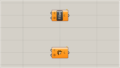
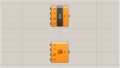
On the Grasshopper, it is represented by either of the two above.
Retrieve multiple points closest to a specified point
Using Closest Points, you can retrieve multiple points closest to a specified point.

Components used: ①Point ②Closest Points


This time, the reference point for finding points and the multiple points to be found are each set in Point.

Connect the reference point to the Closest points(P).
Furthermore, connect the Point of the multiple points being searched to the Closest Points(C).
Furthermore, connect the number of points to be acquired to Closest Points(N).
This time, we are connecting the two.
Then, as shown in the image above, we were able to obtain two points close to the reference point.

Let’s change the value of Closest Points(N) to 10.

Then, as shown in the image above, we were able to obtain the 10 points closest to the reference point.
In this way, using Closest Points allows you to retrieve multiple points closest to a specified point.
Output data
Let’s take a look at the data output from Closest Points.

The acquired point data is output from Closest Points(P).
Closest Points(D) outputs the distance from the reference point to the acquired point.

Additional Component: ①List Item
Closest Points(i) outputs the index numbers of the multiple points found.
Connect the Point of the multiple points that were searched to the List Item(L).
Furthermore, connect Closest Points(i) to List Item(i).

Then, the points obtained earlier were displayed.
Thus, List Item(i) outputs the index numbers of the multiple points found.
List of Grasshopper articles using Closest Points component↓





Comment