
![[Grasshopper] How to use Tree Item to retrieve data within a specified branch](https://iarchway.com/wp-content/uploads/2026/01/eyecatch-12.png)
This section explains how to use Tree Item to retrieve data within a specified branch.
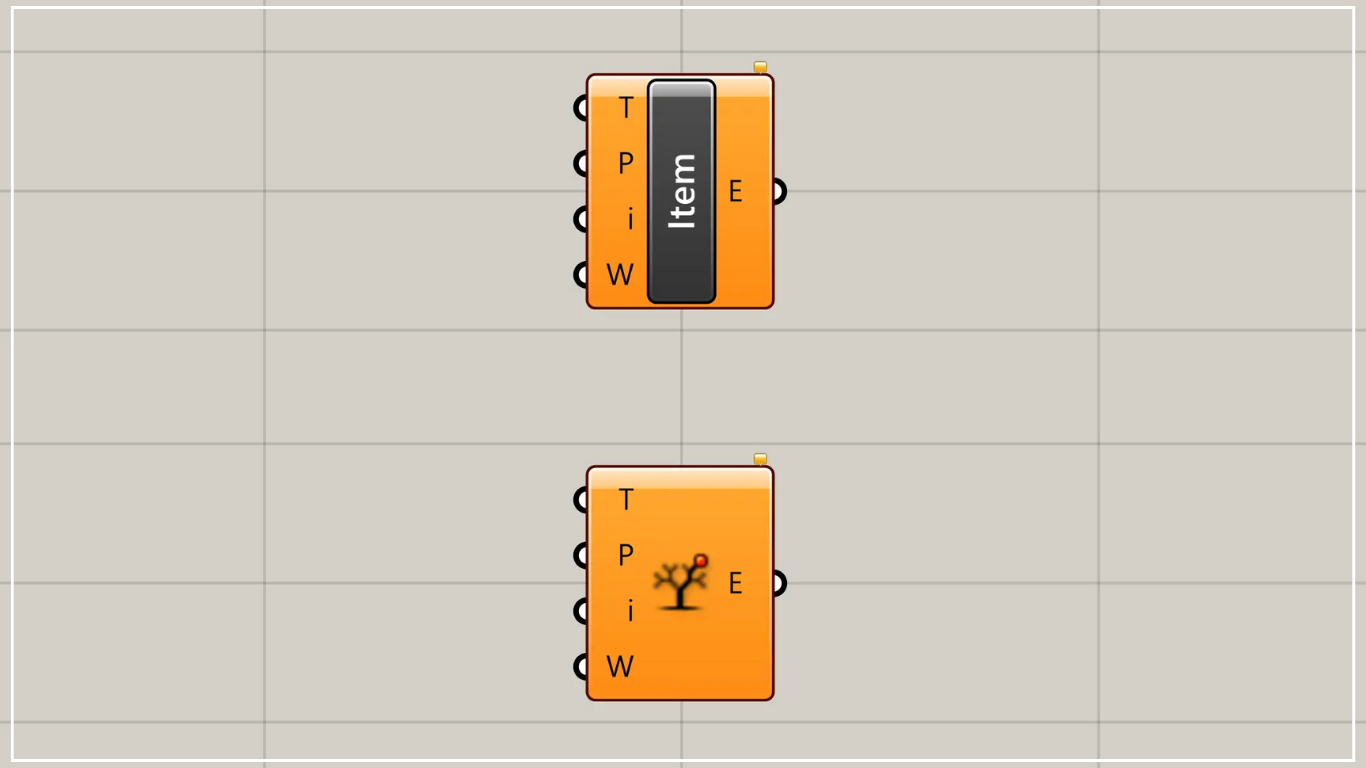
On the Grasshopper, it is represented by either of the two above.
Retrieve data within a specified branch
Using the Tree Item allows you to retrieve data within a specified branch.
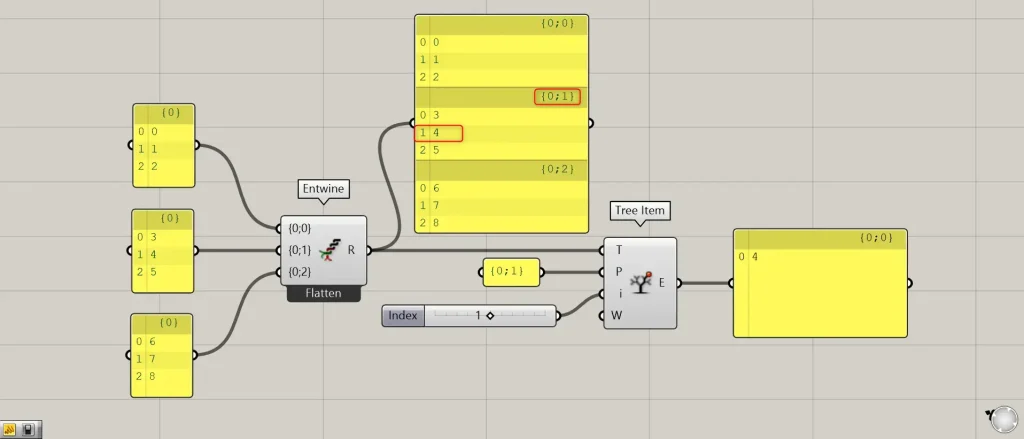
Components used: ①Entwine ②Tree Item
For this example, we will use data created in Entwine, where values from 0 to 8 are divided into three levels.
Connect data organized into arbitrary branches to Tree Items(T).
This time, we’re connecting Entwine.
Next, connect the desired branch name (Path) to the Tree Item(P).
This time, we are connecting {0;1}.
Furthermore, connect the index number corresponding to the data within the desired branch to Tree Item(i).
This time, we are connecting 1.
Then, as shown in the image above, we were able to retrieve the data corresponding to index number 1 in the {0;1} branch, which is the value 4.
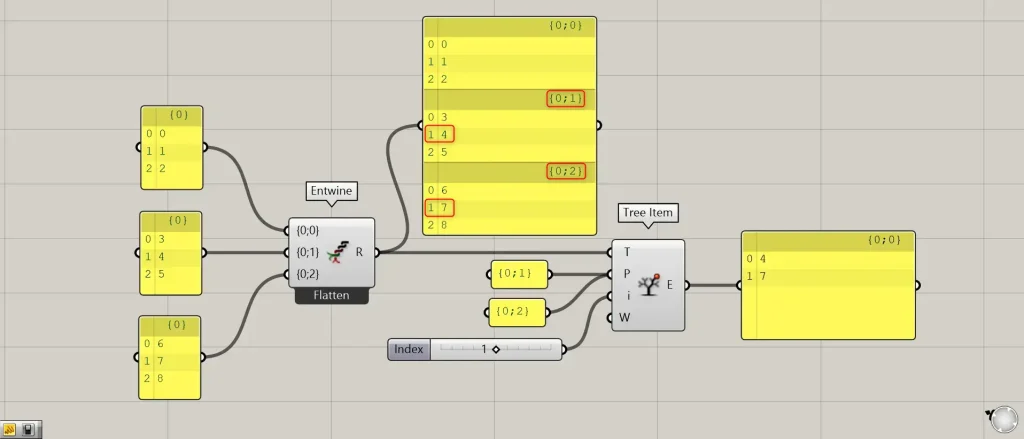
You can also specify multiple path names.
The image above specifies two branch names, {0;1} and {0;2}, for the Tree Item(P).
Then, we were able to retrieve the values 4 and 7 from the data with index number 1 in {0;1} and {0;2}.
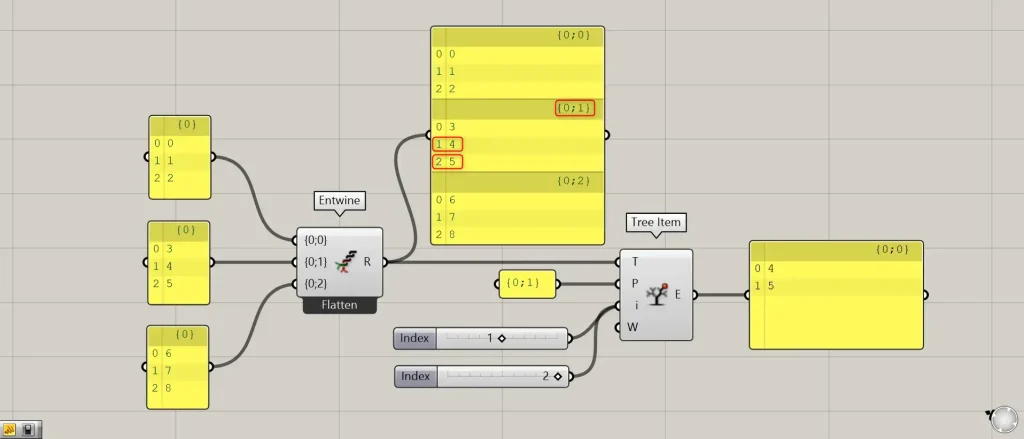
You can also specify multiple index numbers.
The image above specifies two index numbers, 1 and 2, for Tree Item(i).
Then, as shown in the image above, we were able to retrieve the data corresponding to index numbers 1 and 2 within the {0;1} branch, namely data 4 and 5.
List of Grasshopper articles using Tree Item component↓




Comment