
![[Grasshopper] How to use Solid Union to join intersecting models](https://iarchway.com/wp-content/uploads/2026/01/eyecatch-20.png)
This article explains how to use Solid Union to join intersecting models.
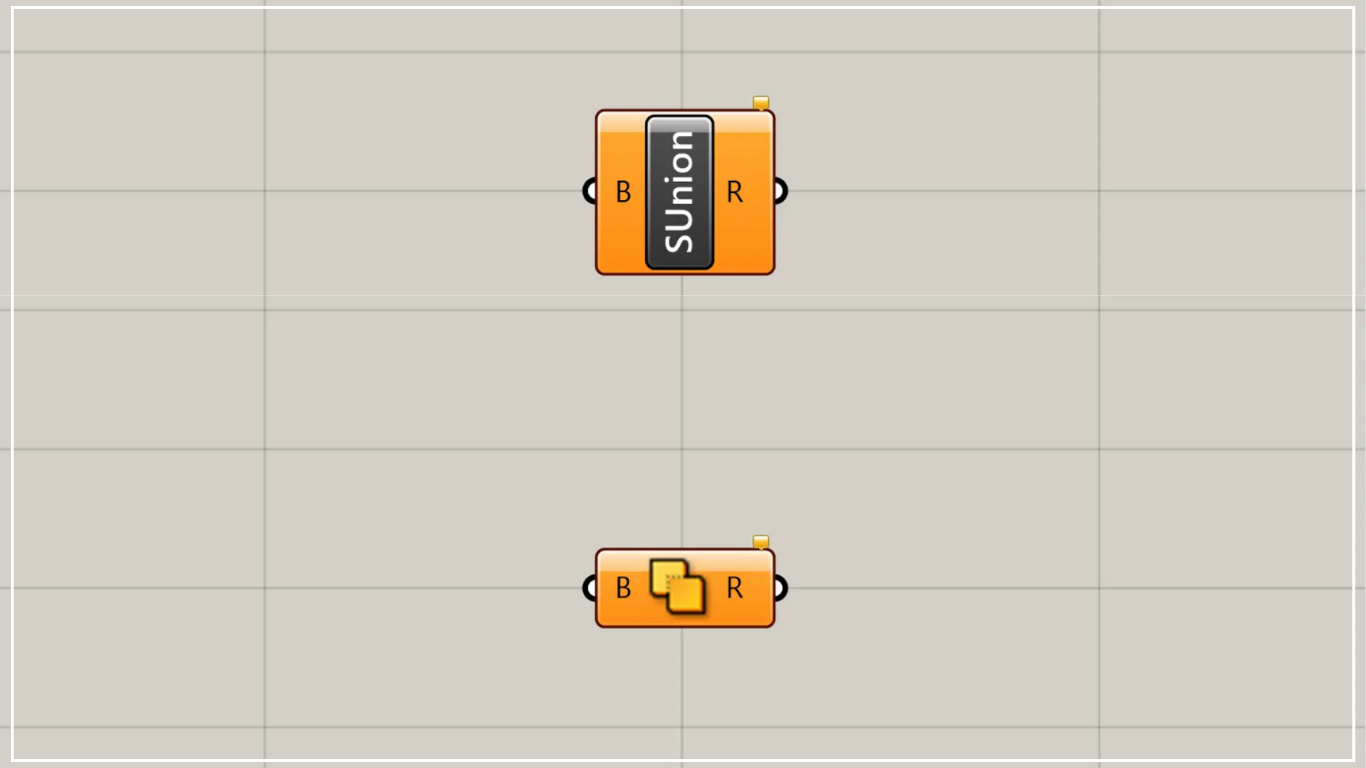
On the Grasshopper, it is represented by either of the two above.
Join intersecting models
Using Solid Union allows you to join intersecting models together.
The models that can be used are Brep models (in Rhino, these include surfaces and polysurfaces).
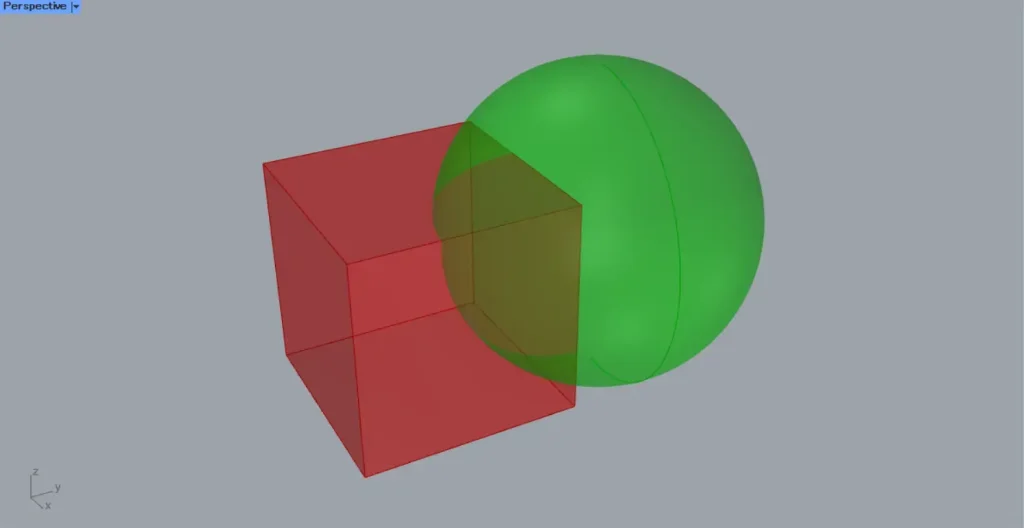
As a first example, let’s combine the cube and sphere shown in the image above.
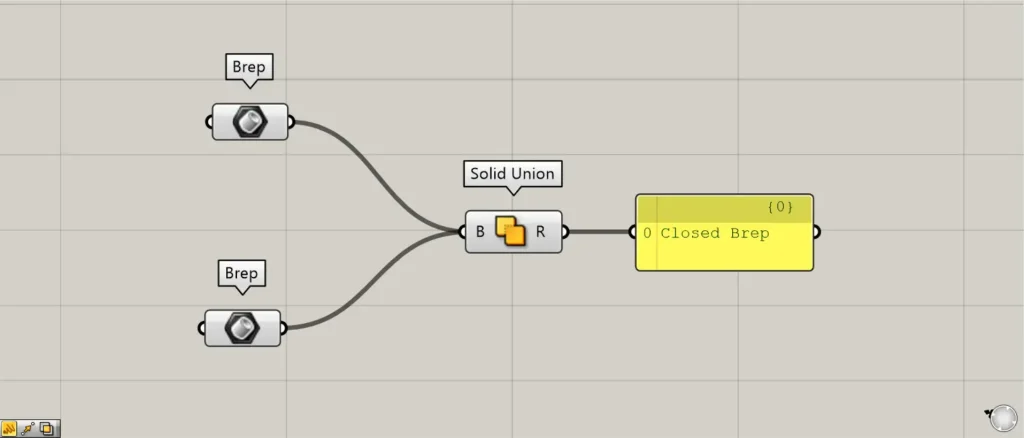
Components used: ①Brep ②Solid Union
Connect the combined Brep model to Solid Union.
This time, we are connecting the Brep that contains the cube and the sphere, respectively.
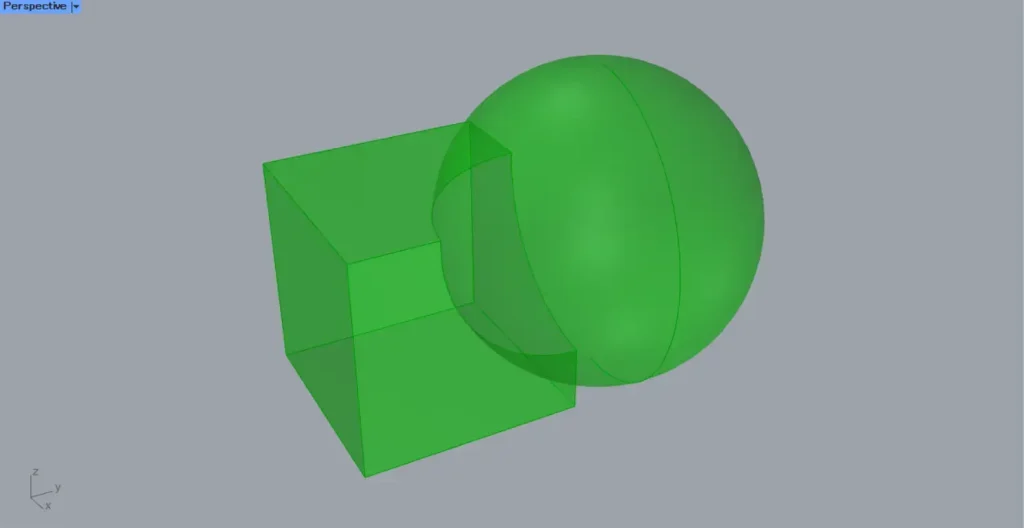
Then, as shown in the image above, we were able to join the Brep models into one.
When using multiple models, devise a branch structure.
When using multiple models, we recommend carefully designing the branch structure.
Depending on the branch you set, processing time may increase or errors may occur.
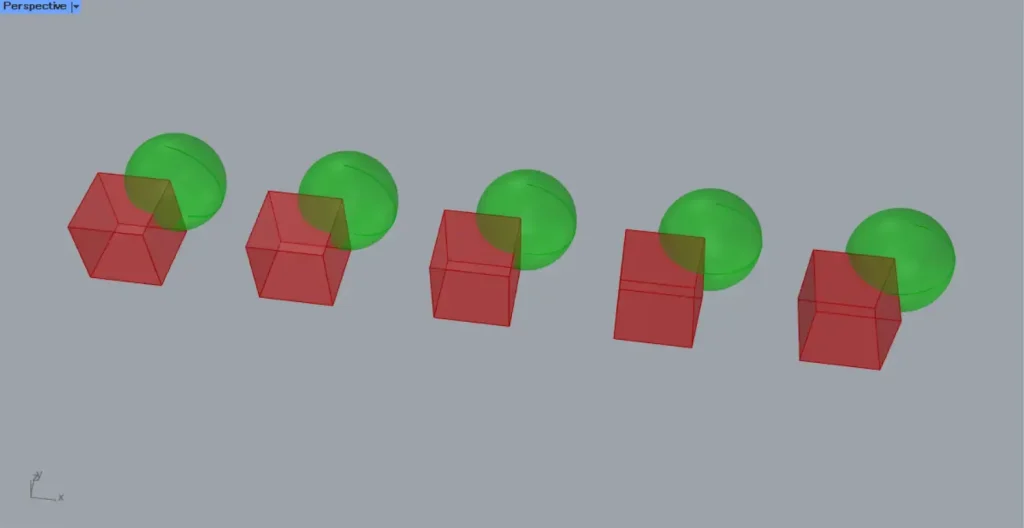
For example, consider a case where five spheres intersect with five cubes, as shown in the image above.
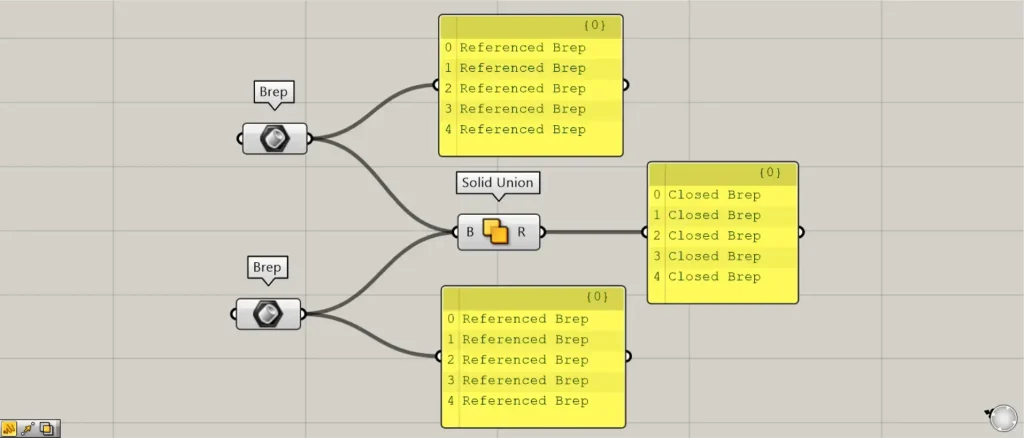
The image above shows what happens when poorly designed models are simply connected together.
In this case, the execution will proceed, but unnecessary computational processing will occur.
The reason is that for each cube, five spheres are processed.
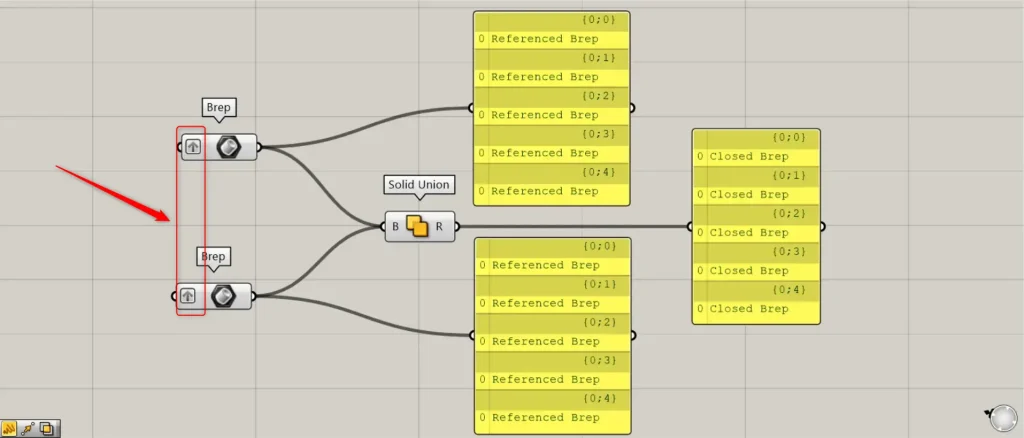
The image above shows models that serve as good examples grouped together in the same layer using Graft.
This means that models that do not intersect are not processed, and only models within the same branch that intersect are merged.
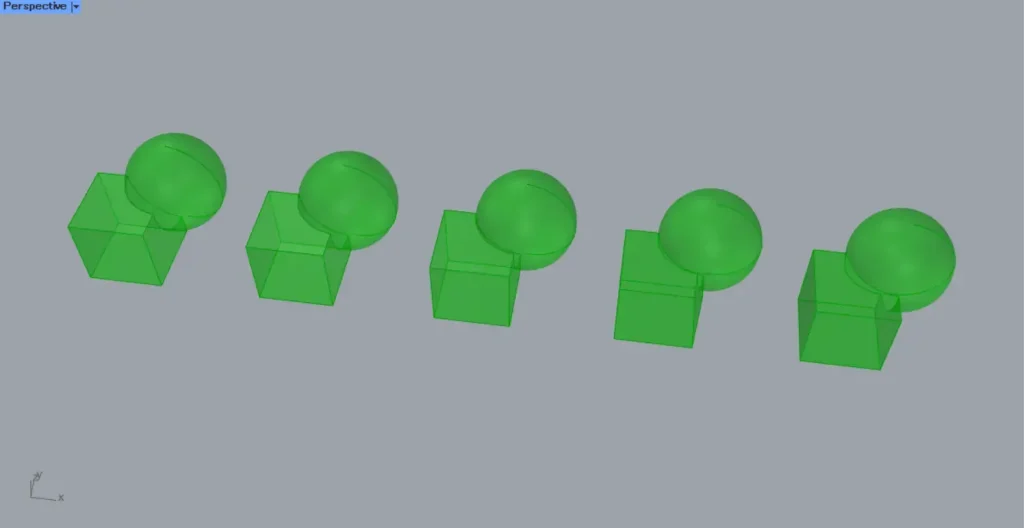
The image above shows the final combined result.
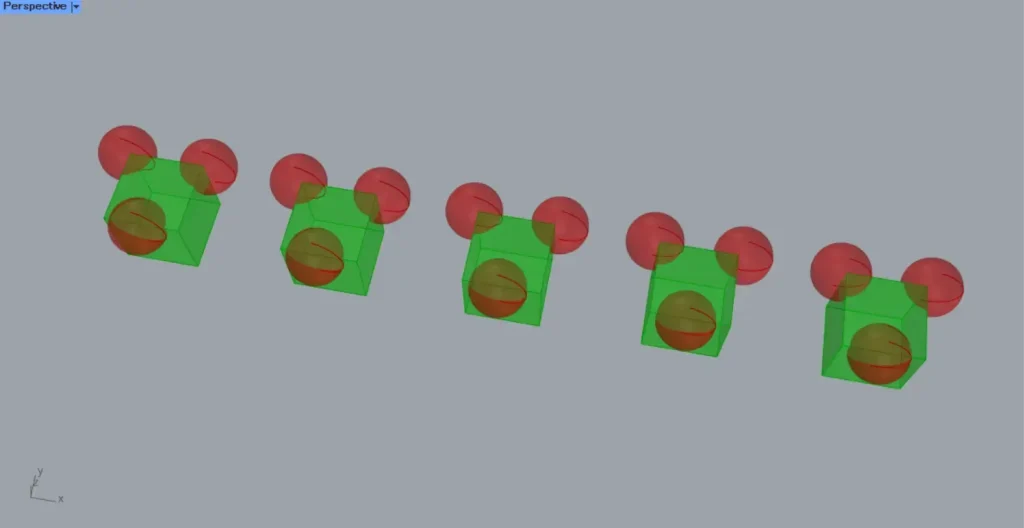
As another example, consider a cube with three spheres attached to it, as shown in the image above.
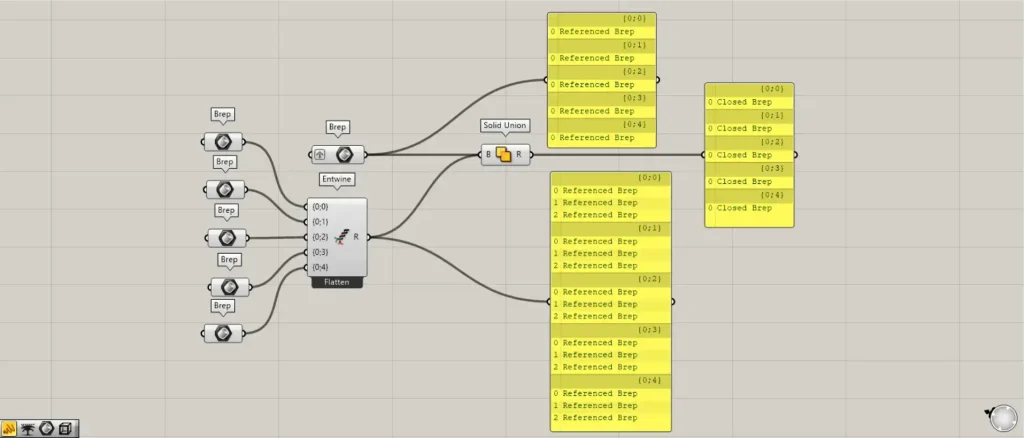
Additional Component: ①Entwine
Even in such cases, align the cube and sphere to be combined at the same branch.
This time, we’re using Entwine to divide the spheres into three branch layers.
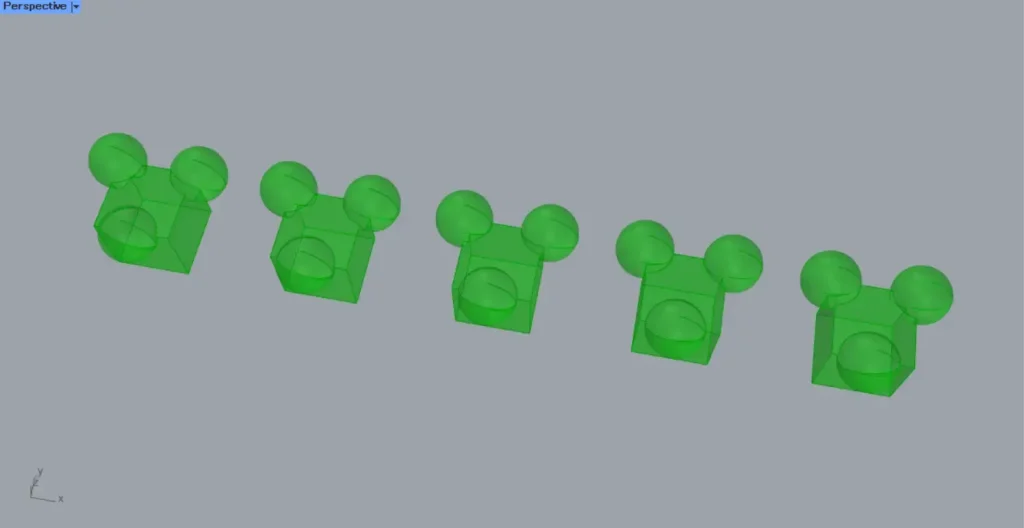
This prevents processing on non-intersecting models, instead merging one cube and three spheres within the same branch.
We recommend placing the models to be processed within the same branch, as shown here.
List of Grasshopper articles using Solid Union component↓




Comment