
![[Grasshopper] How to use Delete Consecutive to remove consecutive numbers](https://iarchway.com/wp-content/uploads/2026/01/eyecatch-25.png)
This article explains how to use Delete Consecutive to remove consecutive numbers.
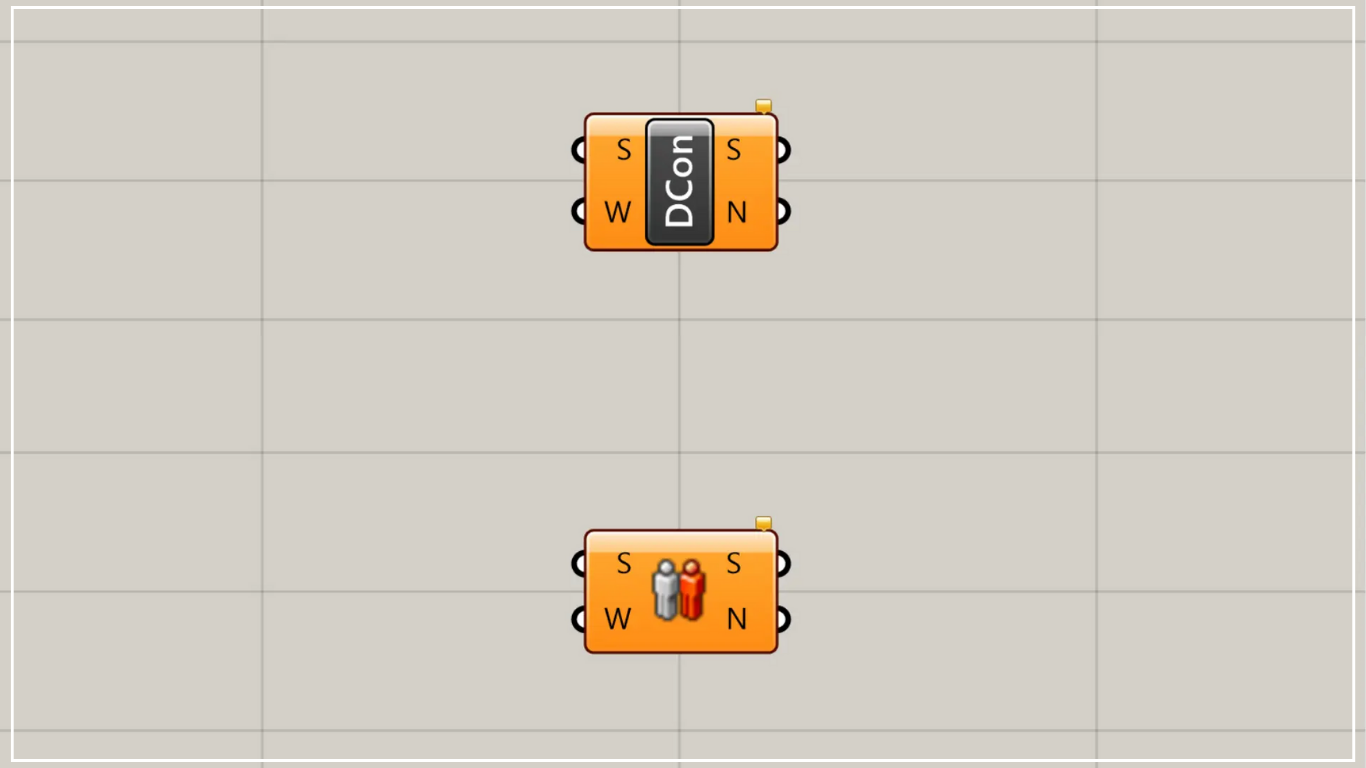
On the Grasshopper, it is represented by either of the two above.
Remove consecutive numbers
Using Delete Consecutive allows you to delete consecutive numbers.
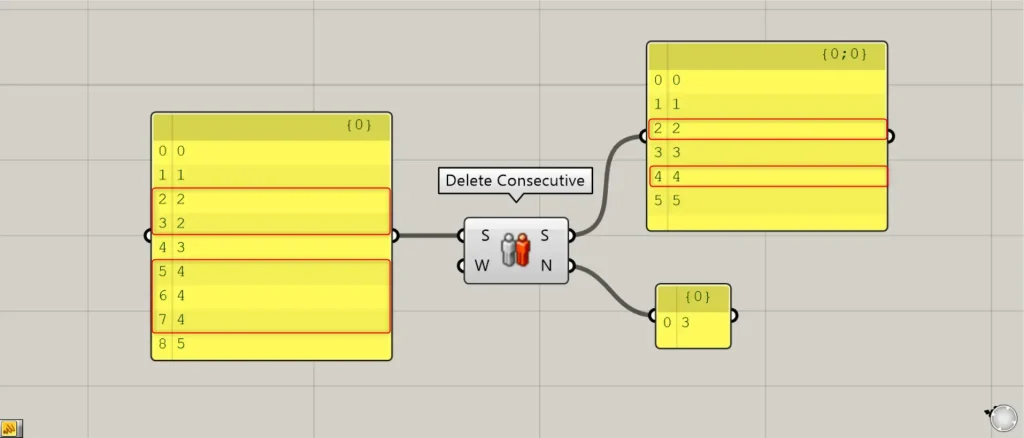
Connect arbitrary numerical data to the Delete Consecutive(S) on the left side.
Then, consecutive identical values in sequence are deleted one at a time and output from the Delete Consecutive(S) on the right.
In this case, two consecutive 2 have been corrected to one, and three consecutive 4 have been corrected to one.
Delete Consecutive(N) outputs the number of items deleted.
In this case, one 2 and two 4 have been removed, so the number 3 is output.
Additional Component: ① Boolean Toggle
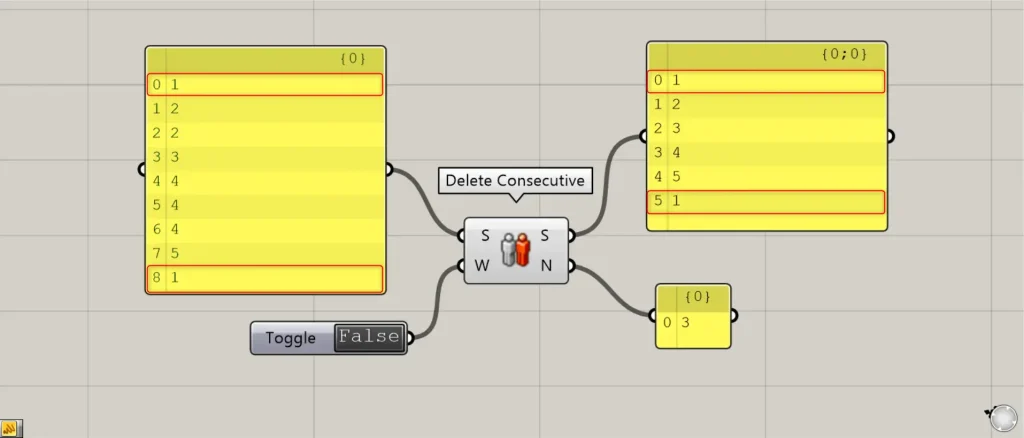
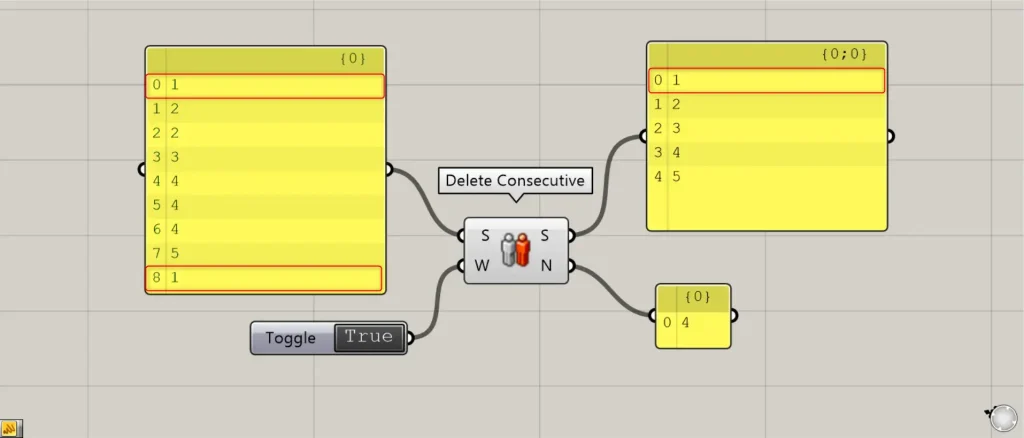
By setting the Delete Consecutive(W) to False or True, you can configure whether the first and last values are considered consecutive.
This time, we are creating False and True information using a Boolean Toggle.
In the case of the two images above, the first and last values are 1.
When connecting False values, the first and last are considered non-consecutive.
Therefore, in the numbers output by Delete Consecutive(S), both retain a 1 at the beginning and end.
When True is connected, the first and last are considered contiguous.
Therefore, the last 1 is removed from the values output by Delete Consecutive(S).
List of Grasshopper articles using Delete Consecutive component↓




Comment