
![[Grasshopper] How to use Curve | Plane to obtain information on curve and plane intersection points](https://iarchway.com/wp-content/uploads/2026/01/eyecatch-29.png)
This article explains how to use Curve | Plane to obtain information on curve and plane intersection points.
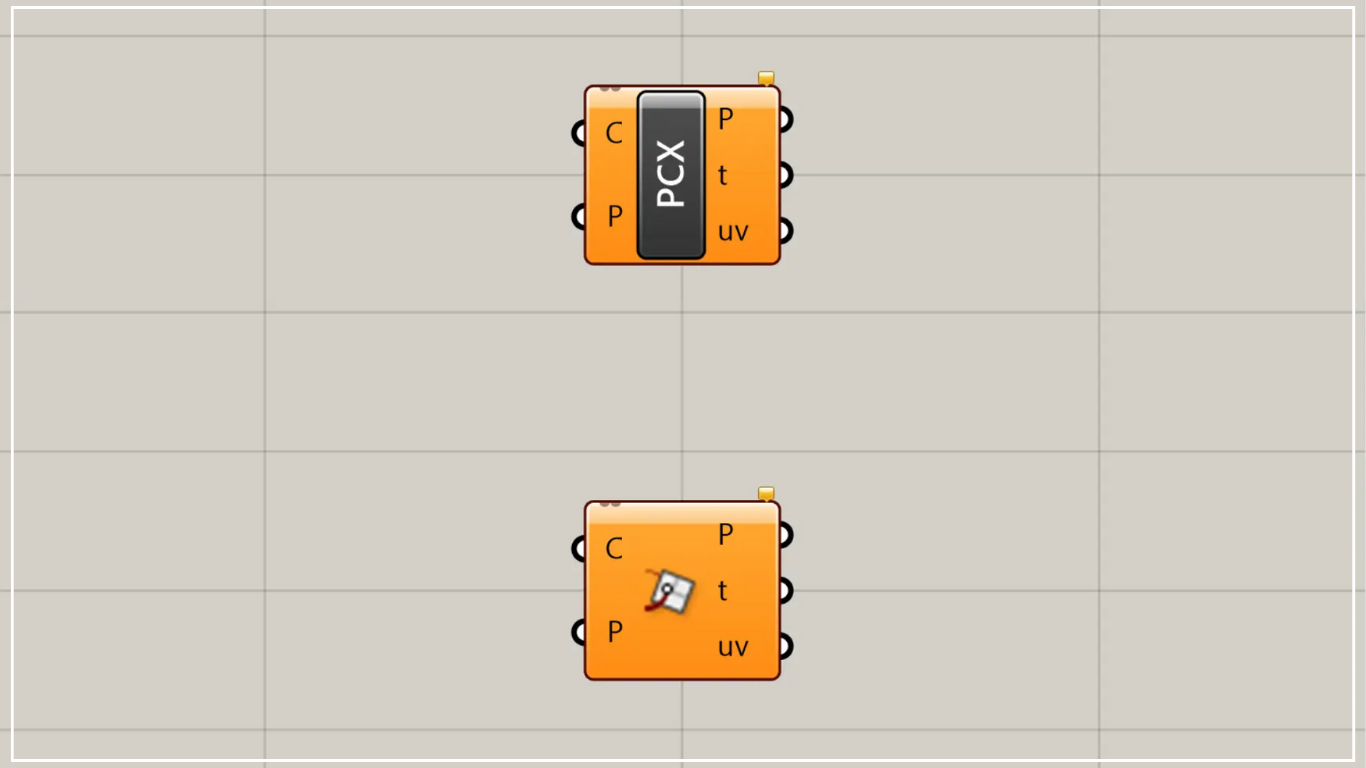
On the Grasshopper, it is represented by either of the two above.
Obtain information about the intersection point between a curve and a plane
Using Curve | Plane allows you to obtain information about intersection points between a curve and a plane.
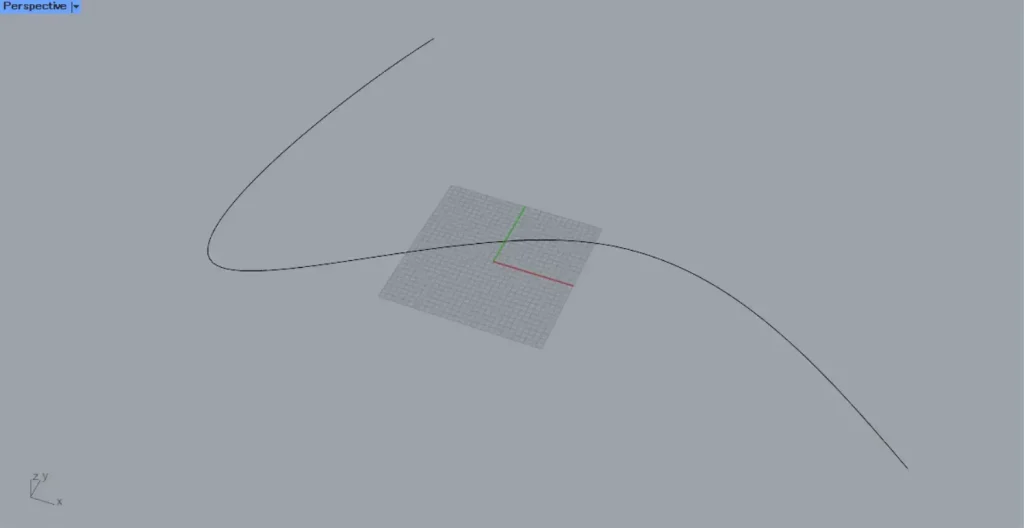
For this example, we will use the curve on Rhino in the image above.
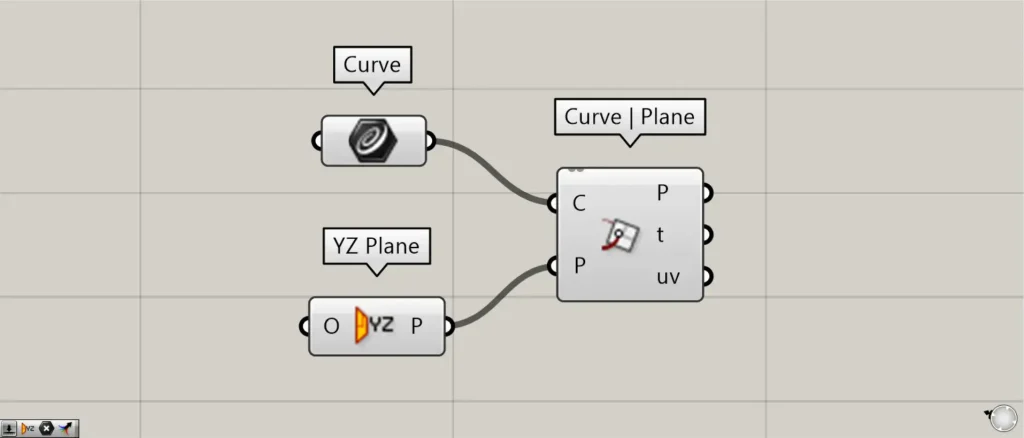
Components used: ①Curve ②YZ Plane ③Curve | Plane
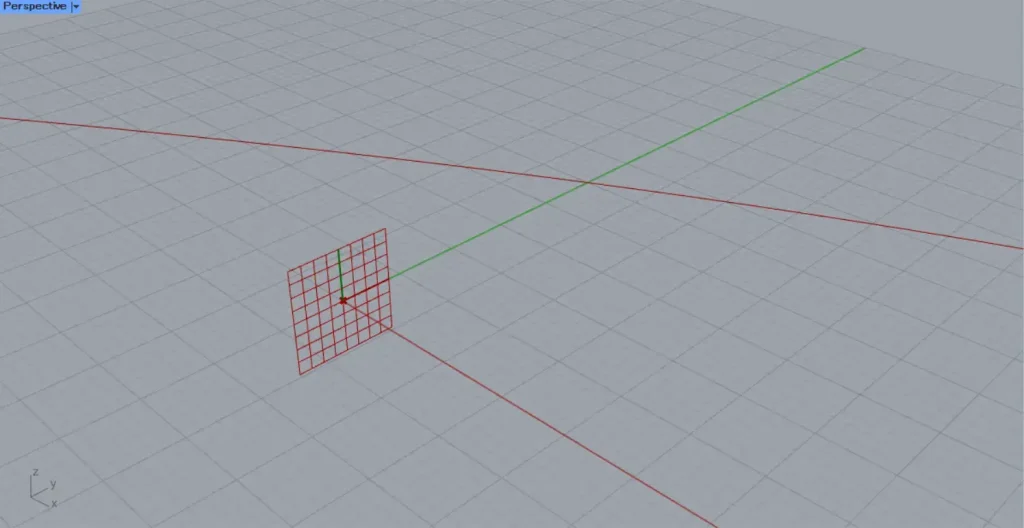
This time, we are setting the curve on Rhino in Curve.
Additionally, the plane uses the YZ Plane, which is formed from the Y-direction and Z-direction.
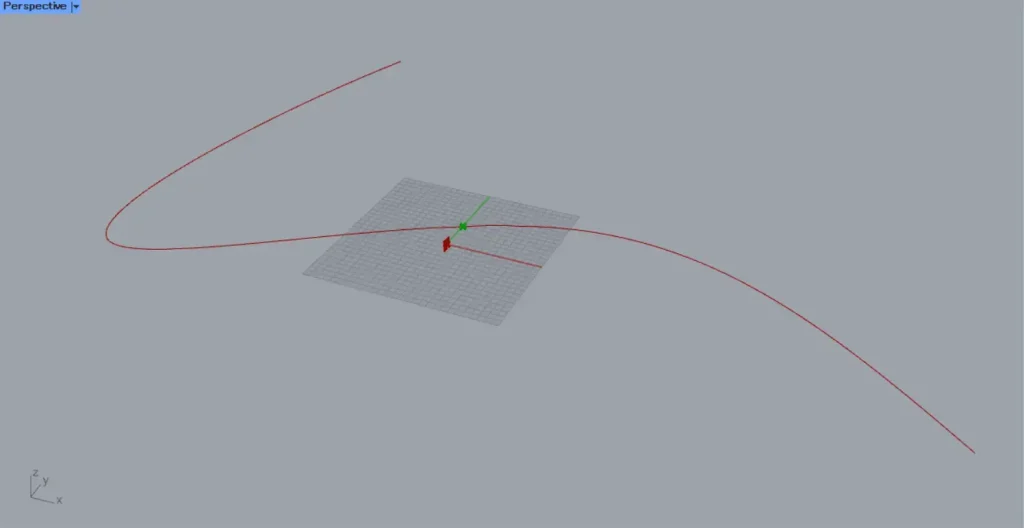
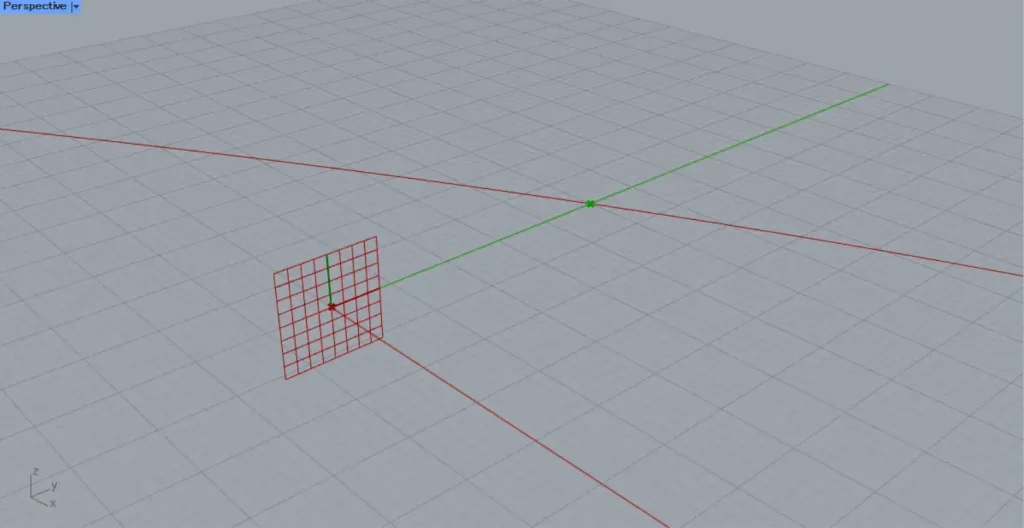
Connect the Curve from the line information to Curve | Plane(C).
Connect the YZ Plane information of the plane to Curve | Plane(P).
Then, as shown in the two images above, intersection points were created where the curve and the plane intersect.
In this way, using Curve | Plane allows you to obtain the intersection point between a curve and a plane.
Output data
Let’s take a look at the output data.
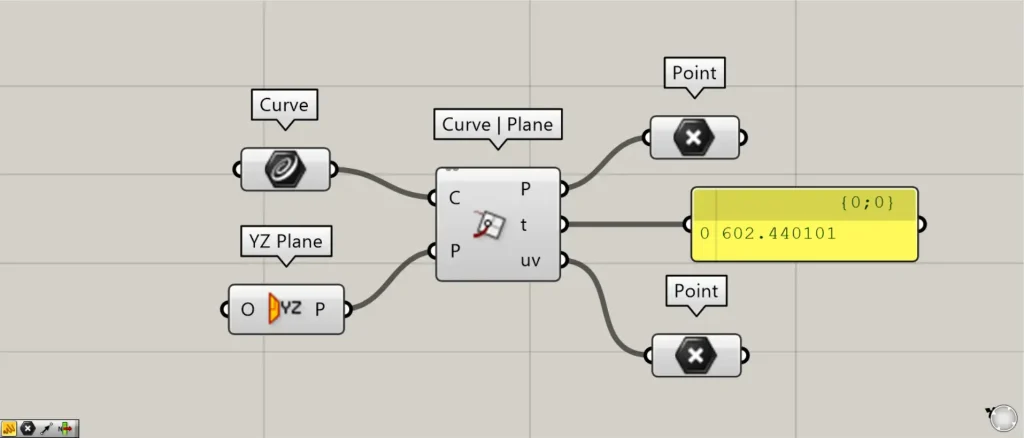
Additional Component: ①Point
From the Curve | Plane(P) on the right, the point where the curve intersects the plane is output.
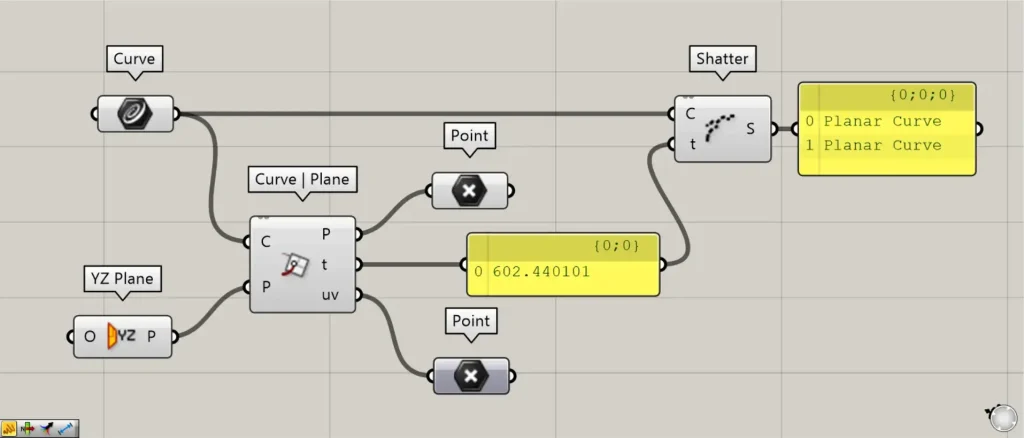
Additional Component: ①Shatter
From the Curve | Plane(t) on the right, information about the position of the intersection points on the curve is output.
For example, let’s try using Shatter to split the curve.
Furthermore, connect Curve | Plane(t) to Shatter(t).
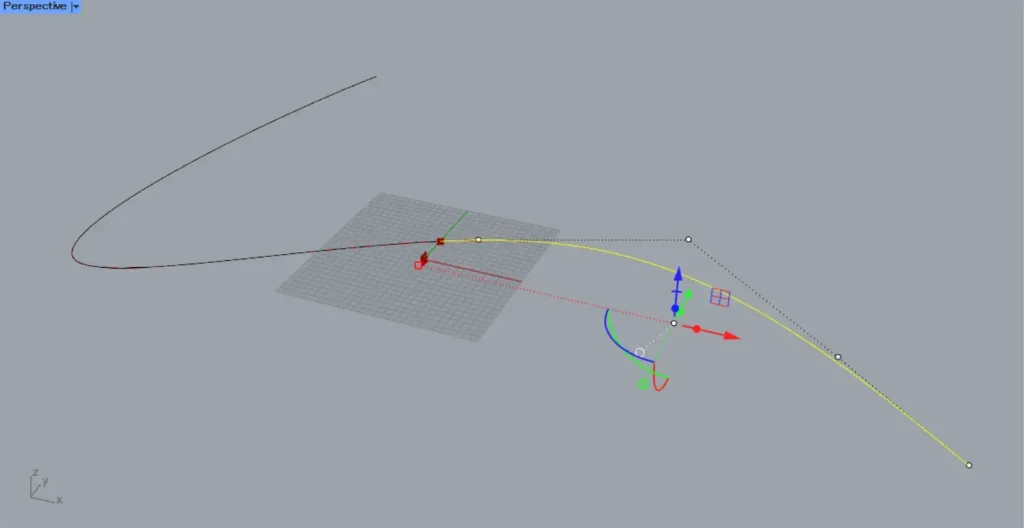
After that, we tried exporting onto Rhino.
Then, as shown in the image above, you can see that the curve is split at the intersection point.
In this way, Curve | Plane(t) outputs information about the position of the intersection point on the curve.
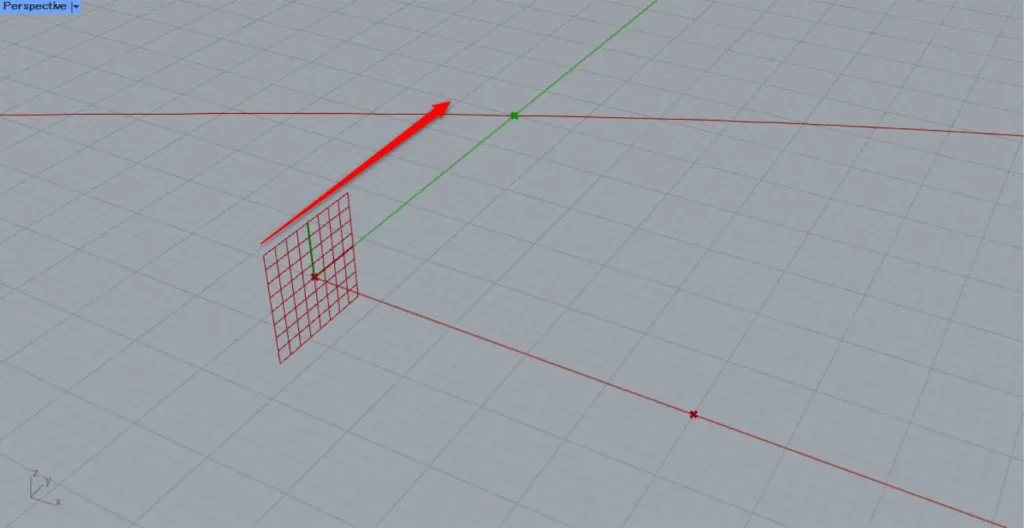
From the Curve | Plane(uv) on the right, point data for the flattened state is output.
In this case, point data is created on the plane formed from the Y and Z directions.
The image above shows the points output from Curve | Plane(P).
In this case, since it is created on the YZ Plane‘s Y-direction and Z-direction plane, there is a point 5 squares in the X-direction relative to this plane (actually 5 squares along the Y-direction).
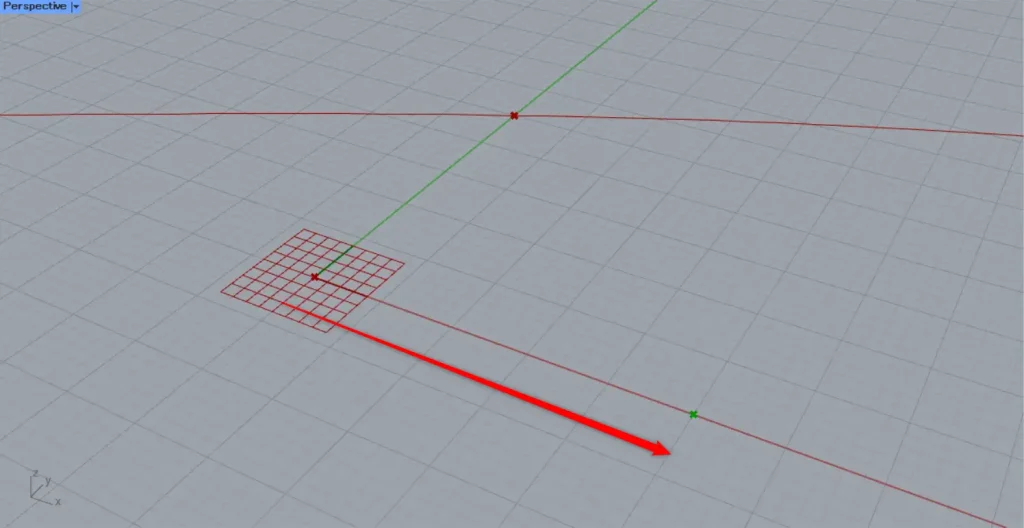
The image above shows the points output from Curve | Plane(uv).
In this case, point data is created on the plane generated from the default X and Y directions.
This indicates that in this case, the point is located five squares along the default X-axis direction.
List of Grasshopper articles using Curve | Plane component↓




Comment