
![[Grasshopper] How to use Collision Many|Many to check for interference between multiple models](https://iarchway.com/wp-content/uploads/2026/01/eyecatch-33.png)
This article explains how to use Collision Many|Many to check for interference between multiple models.
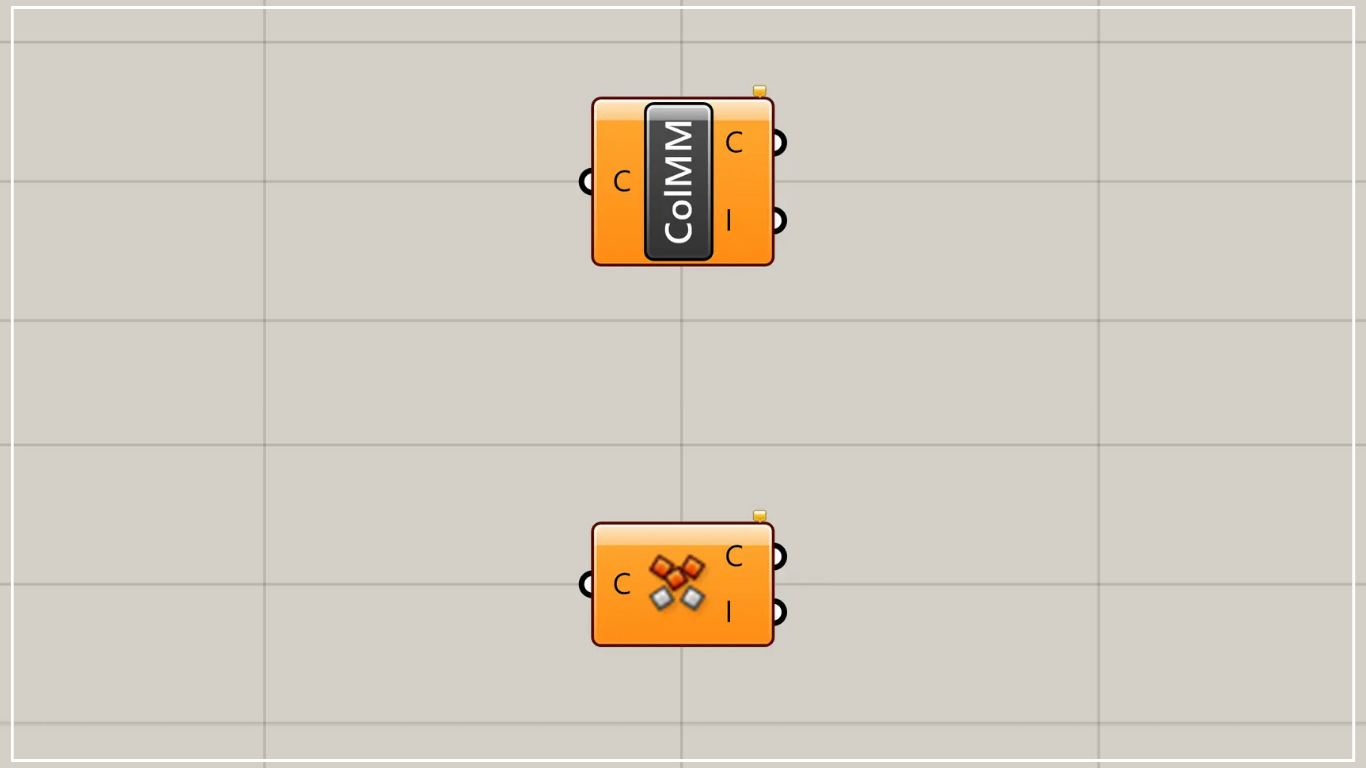
On the Grasshopper, it is represented by either of the two above.
Check whether multiple models are interfering with each other
Using Collision Many|Many allows you to check whether multiple models are interfering with each other.
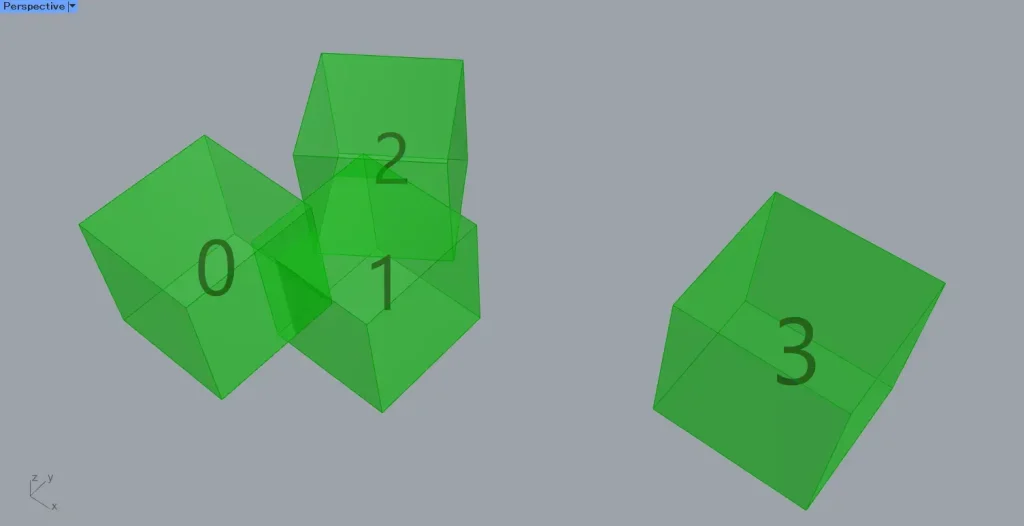
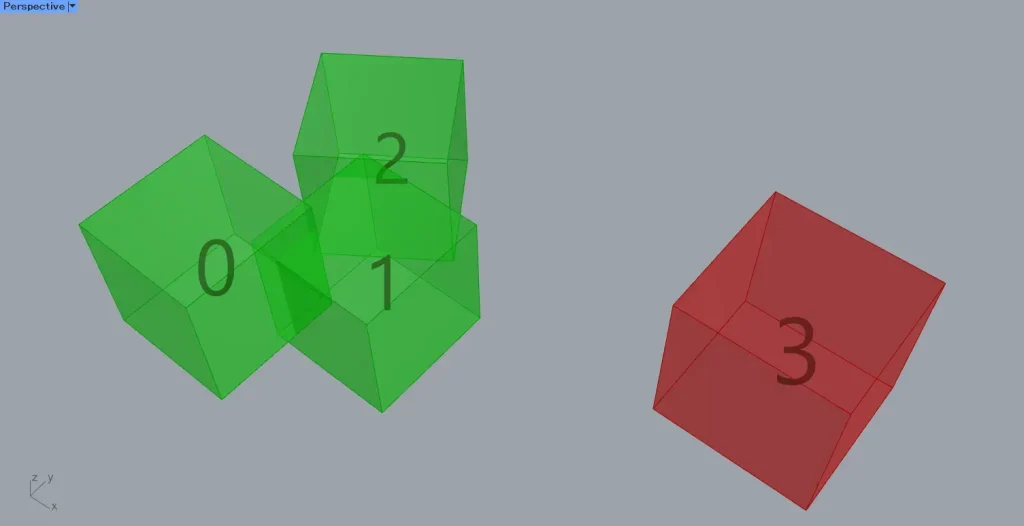
For this example, we will use the four cubes shown in the image above.
The index number of the cube is as shown.
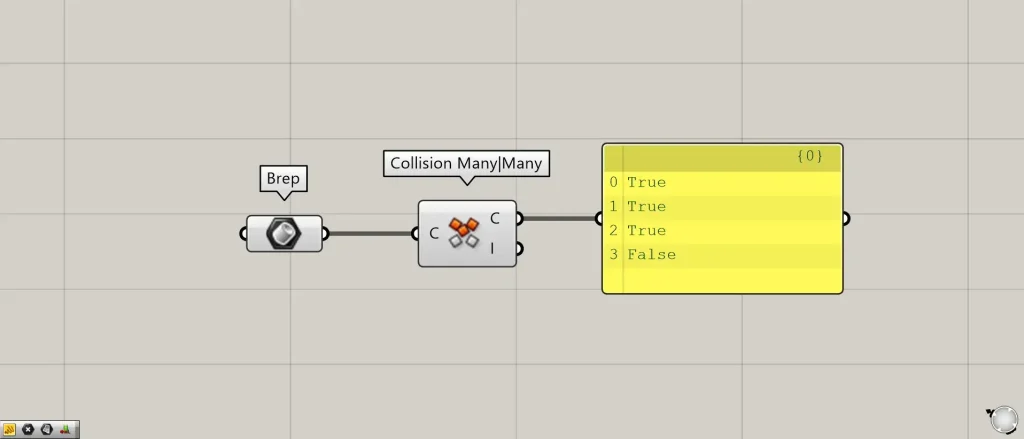
Components used: ①Brep ②Collision Many|Many
This time, four cubes are set in Brep.
Connect the Brep to the Collision Many|Many.
Then, as shown in the image above, information indicating True or False will be output from Collision Many|Many(C).
If the input model is interfering, True will be displayed.
If the input model does not interfere, False is displayed.
In this case, models with index numbers 0 through 3 are interfering, so 0 through 3 are displayed as True.
Meanwhile, the fourth one, which is not interfering, is displayed as False.
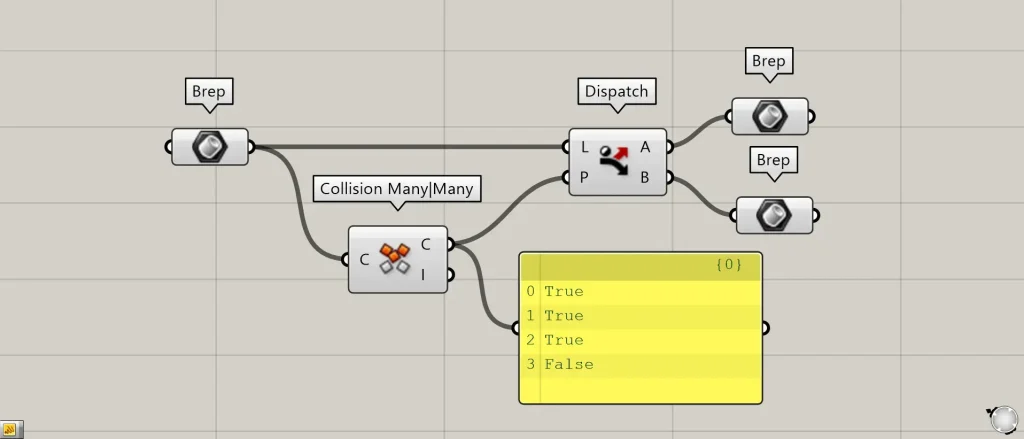
Additional Components: ① Dispatch
Let’s try using Dispatch to handle cases based on True and False information.
Connect the Brep to Dispatch(L).
Connect Collision Many|Many(C) to Dispatch(P).
Then, connect the Brep to Dispatch(A and B).
Then, Dispatch(A) outputs the interfering model with True.
Dispatch(B) outputs a model that is not interfered with by False.
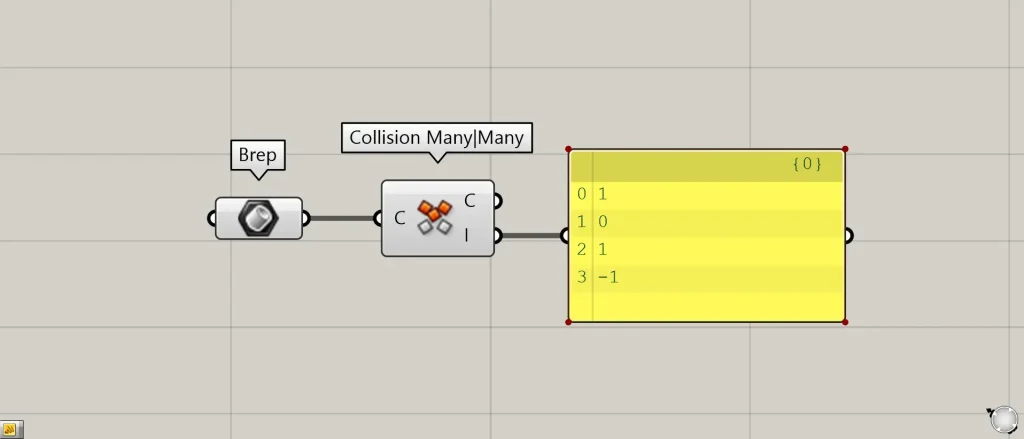
Collision Many|Many(I) outputs the index number of the model that first collided.
If the model is not interfering, it will display -1.
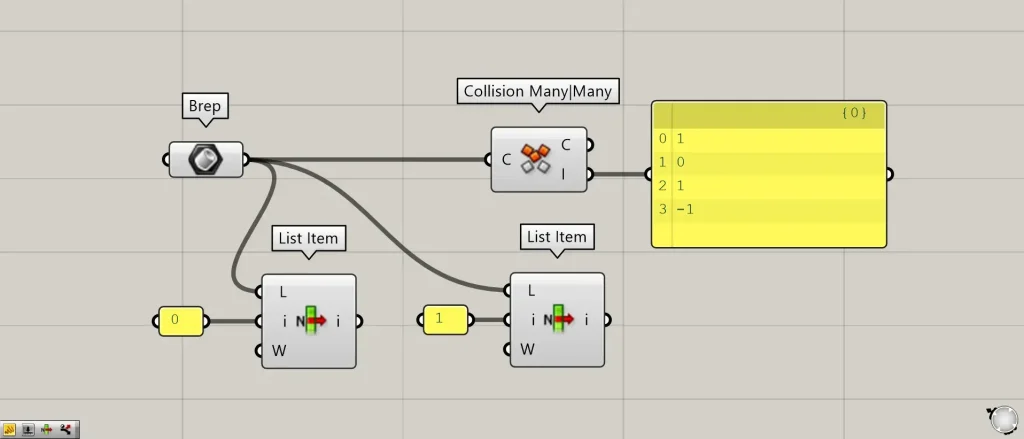
Additional Component: ①List Item
Let’s look at the very first index number 0 in Collision Many|Many(I).
The data for the very first index number 0 is 1.
This means that the zero-indexed model initially interferes with the first model.
Connect the Brep to two List Items(L), then connect 0 and 1 to List Item(i) to retrieve the 0th and 1st models.
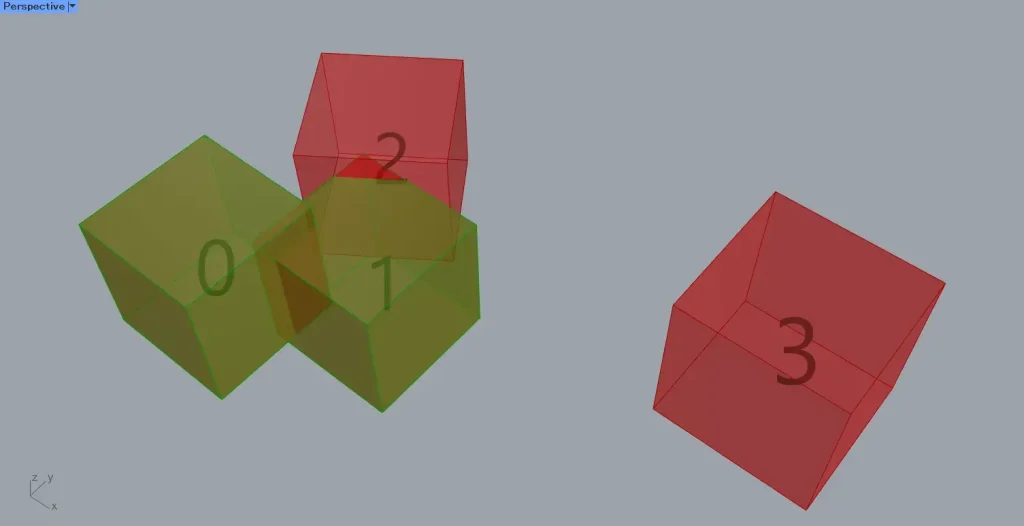
As shown in the image above, it can be seen that the zero-indexed model is interfering with the first model.
Meanwhile, the first model interferes with both the zero and second models, yet the data for index number 1 displays as zero.
This is because it displays only the index number of the first interfering model.
In the case of 0 and 2, since 0 is determined to have interfered first, 0 is displayed.
Once the interference with the 0th model is resolved, it will display as 2.
List of Grasshopper articles using Collision Many|Many component↓





Comment