
![[Grasshopper] How to use Construct Domain² (Dom²Num) to create a domain range](https://iarchway.com/wp-content/uploads/2026/01/e879dd76282a4c7def28f0252cb622ca.png)
This article explains how to use Construct Domain² (Dom²Num) to create a domain range.
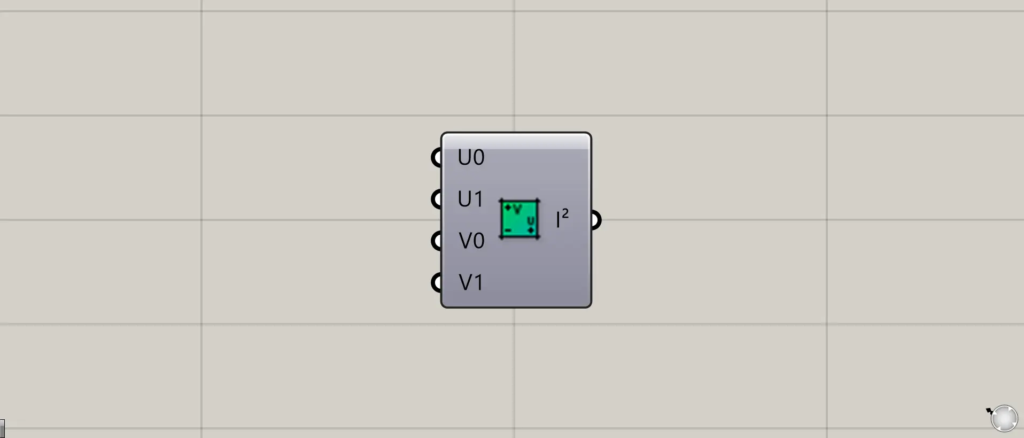
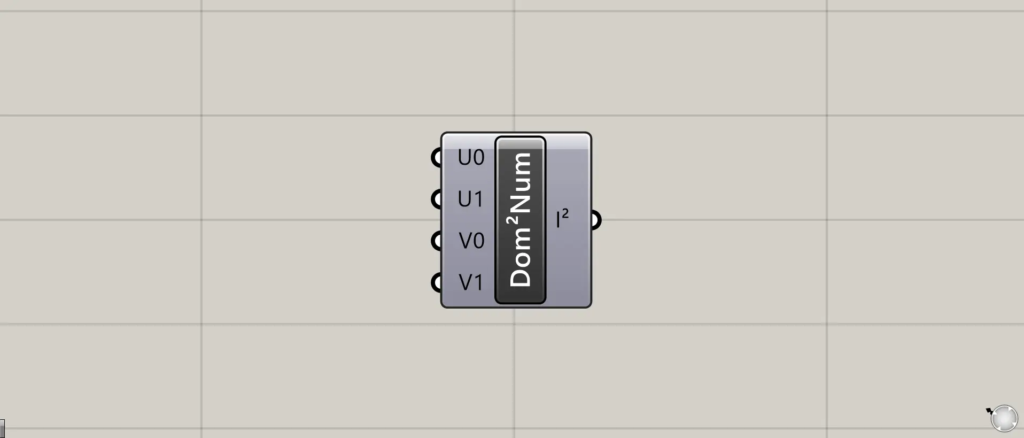
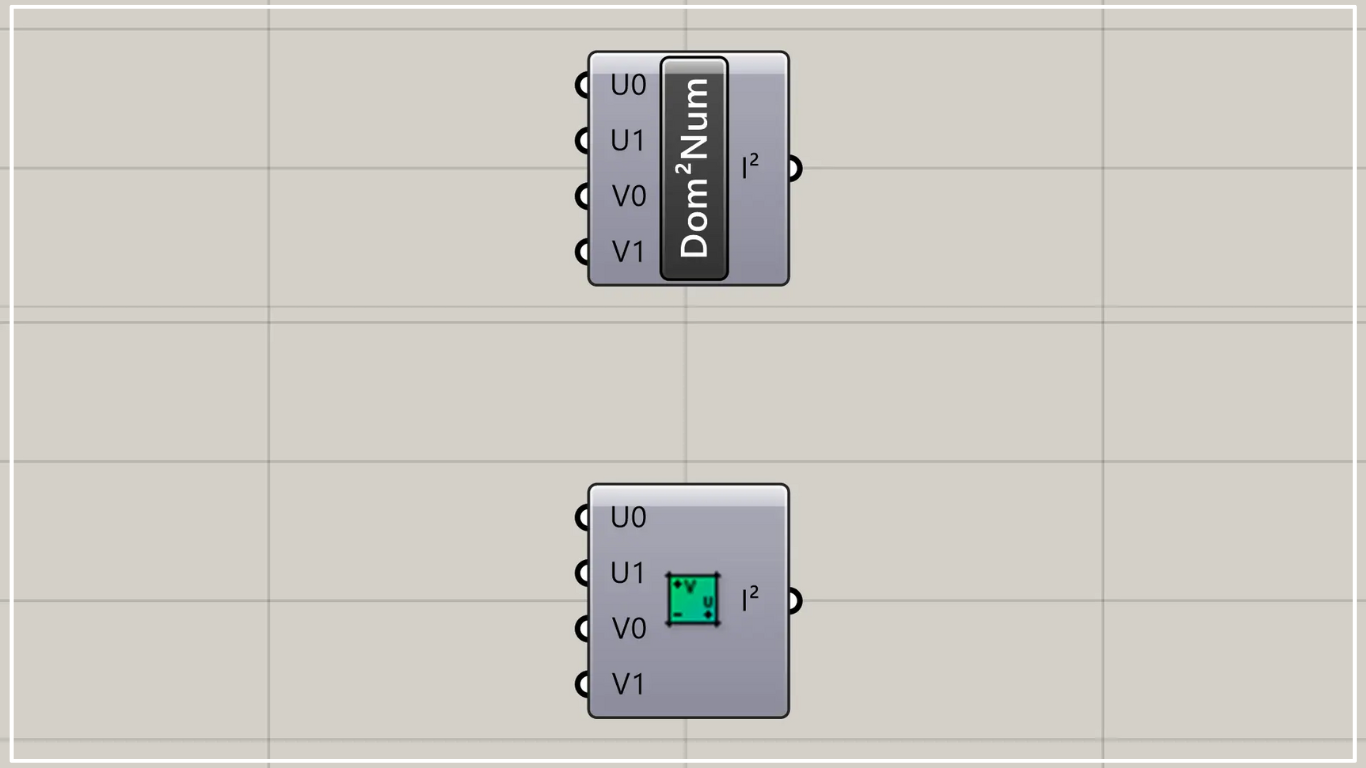
In Grasshopper, it is represented by one of the two above.
Create a domain range
Using Construct Domain²(Dom²Num) allows you to create a domain range.
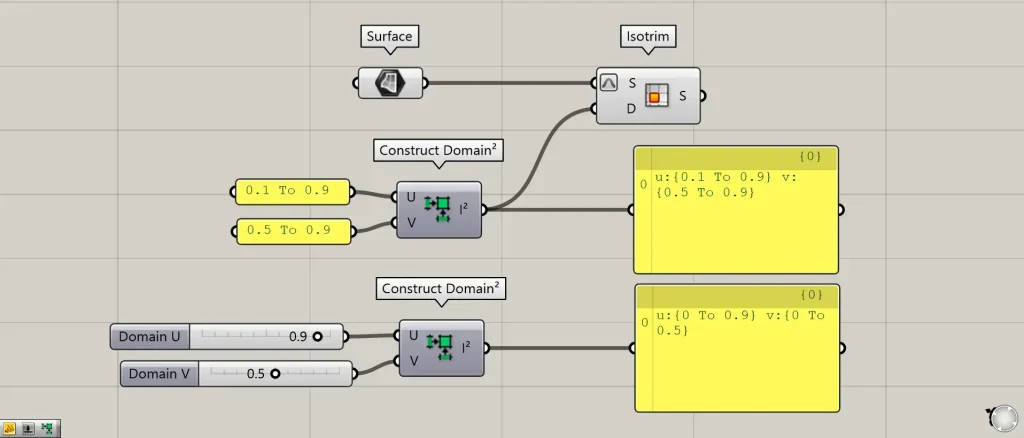
There is a component with the same name, Construct Domain² (Dom²).
This component creates a domain range by inputting two numerical ranges (such as 0.1 to 0.9).

On the other hand, in this Construct Domain² (Dom²Num), you create a domain range by inputting four numerical values.
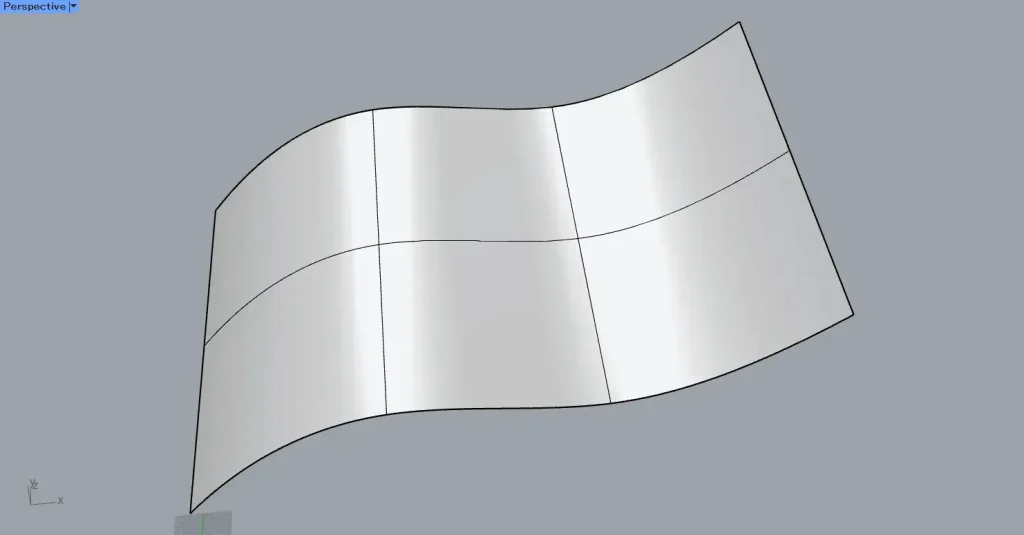
For this example, we’ll use this surface on Rhino.
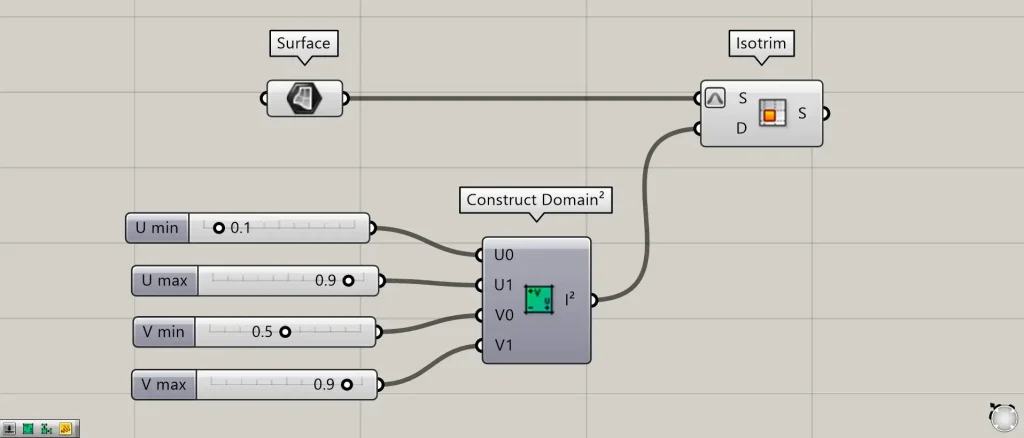
Components Used: ① Surface ② Construct Domain² (Dom²Num) ③ Isotrim
First, set the surface on Rhino in the Surface.
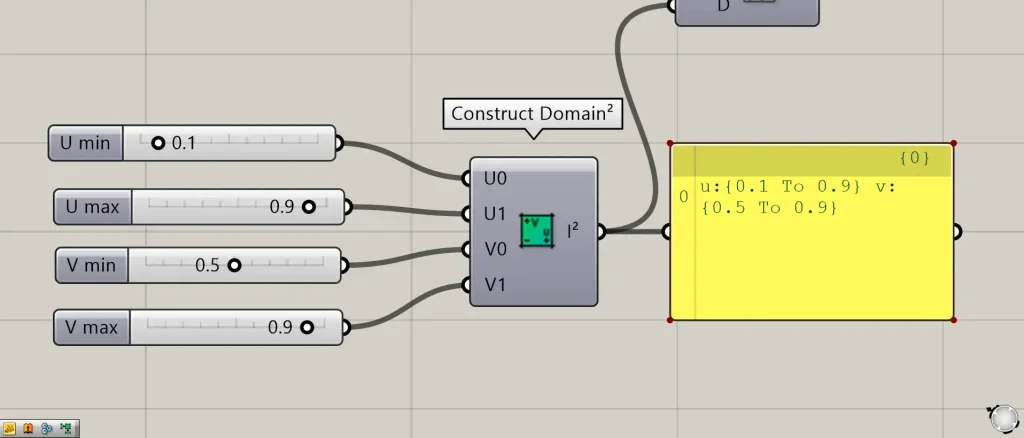
After that, enter the decimal values into the U0, U1, V0, and V1 terminals of the Construct Domain² (Dom²Num).
This time, we input 0.1 for U0, 0.9 for U1, 0.5 for V0, and 0.9 for V1.
Then, a domain range is created with values for u ranging from 0.1 to 0.9 and values for v ranging from 0.5 to 0.9.
Let’s visualize the domain scope on the surface.
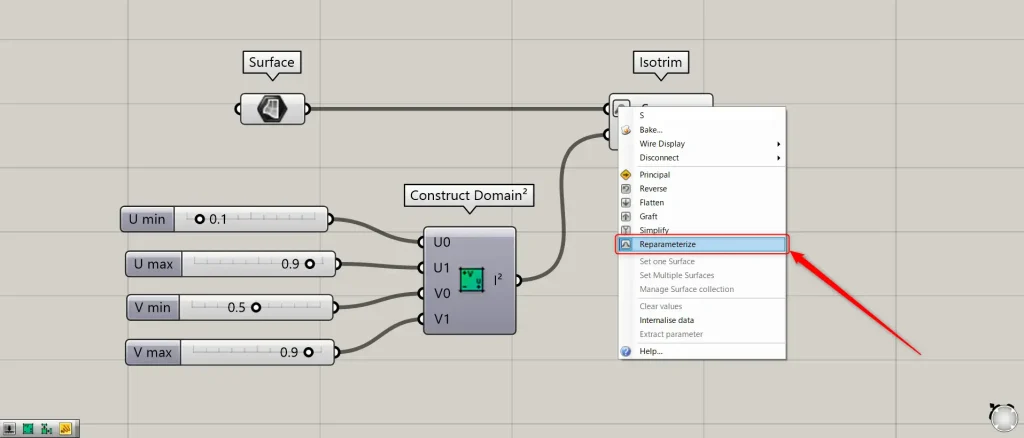
Connect the Surface to the Isotrim(S).
At this point, right-click the Isotrim(S) and select “Reparameterize”.
Then, you can select a range on the surface using values between 0 and 1.0.
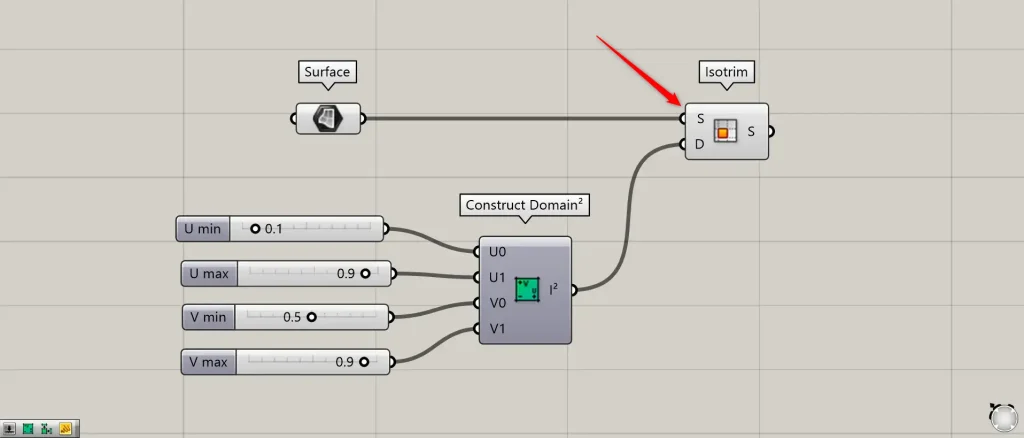
Next, connect the Construct Domain² (Dom²Num) to the Isotrim(D).
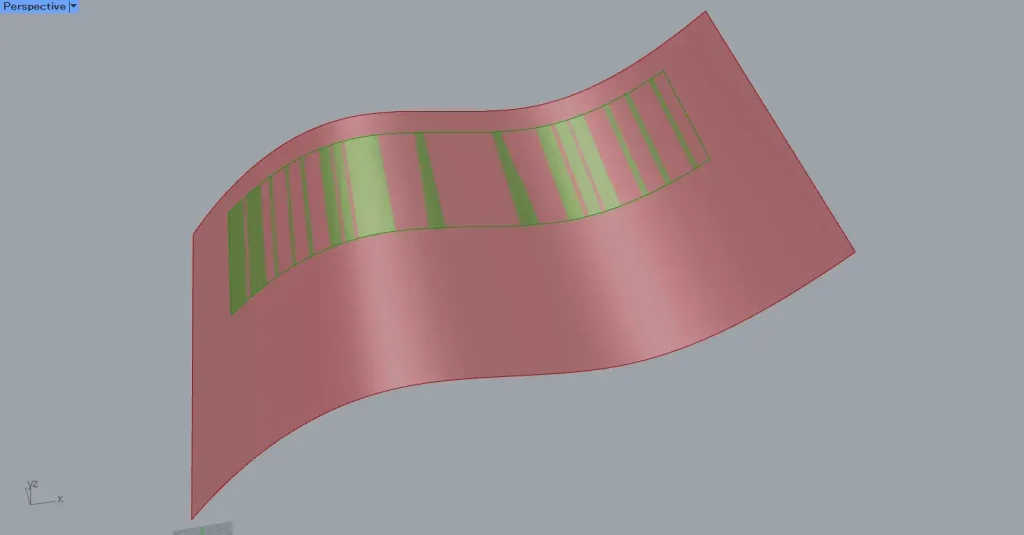
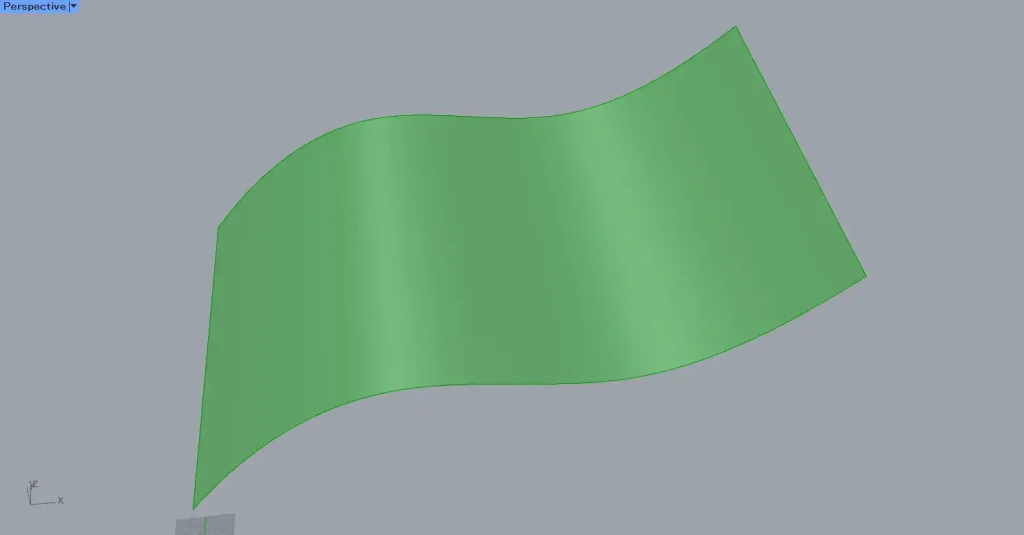
Then, as shown in the image above, we were able to obtain a portion of the surface.
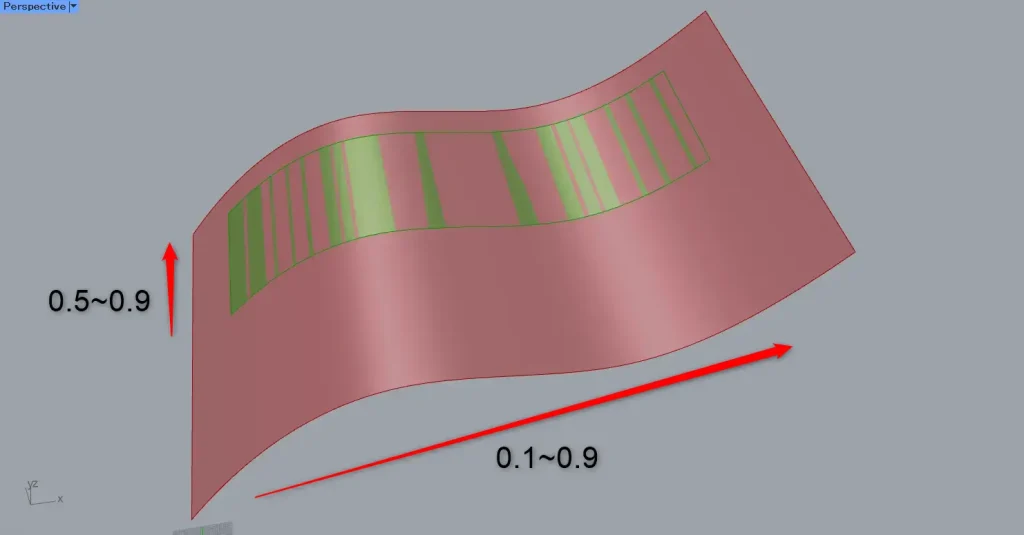
Looking at the range of the selected portion, the first direction is selected from 0.5 to 0.9, and the second direction is selected from 0.1 to 0.9.
In this way, the surface portion set in Construct Domain²(Dom²Num) has been obtained.
Instead of using a decimal point, let’s set the domain range with an arbitrary numerical value.
In that case, disable the Reparameterize setting on the Isotrim(S).
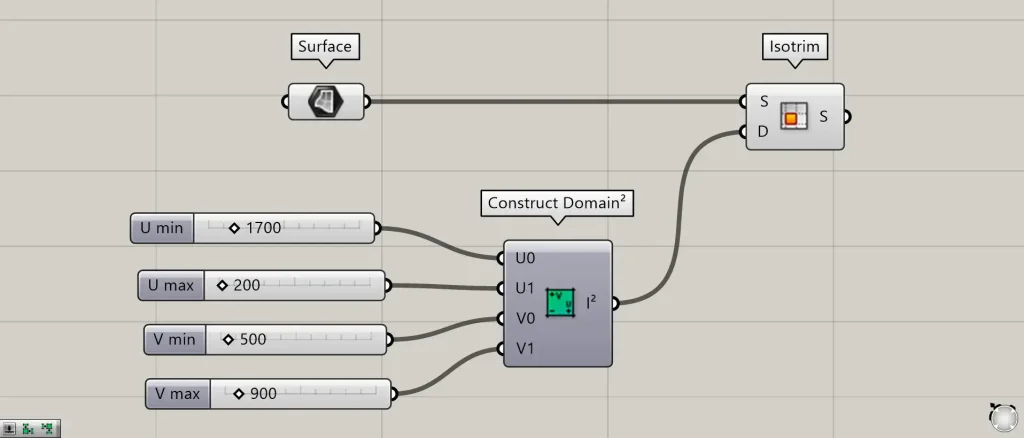
Reset the value set for Construct Domain²(Dom²Num).
This time, we are inputting 1700 into U0, 200 into U1, 500 into V0, and 900 into V1.
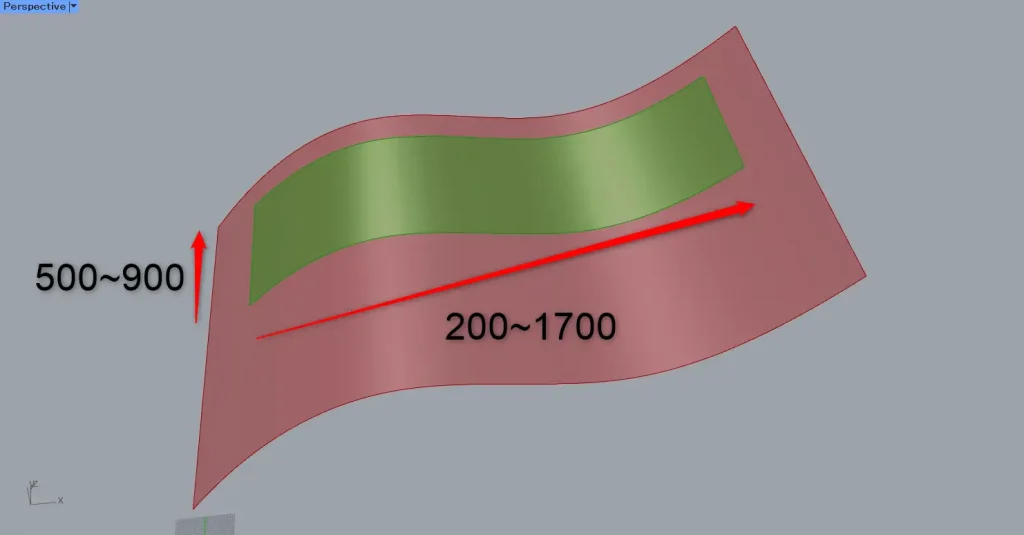
Then, we were able to obtain the surface portion of the set section using the actual length value.
List of Grasshopper articles using Construct Domain²(Dom²Num) component↓




Comment