
![[Grasshopper] How to use Curve Closest Point to create a point at the closest location on a curve from a point](https://iarchway.com/wp-content/uploads/2026/01/Curve-Closest-Point.png)
This article explains how to use Curve Closest Point to create a point at the closest location on a curve from a point.
On the Grasshopper, it is represented by either of the two above.
Create a point at the closest location on a curve from a point
Using Curve Closest Point allows you to create a point at the closest location along a curve from a given point.
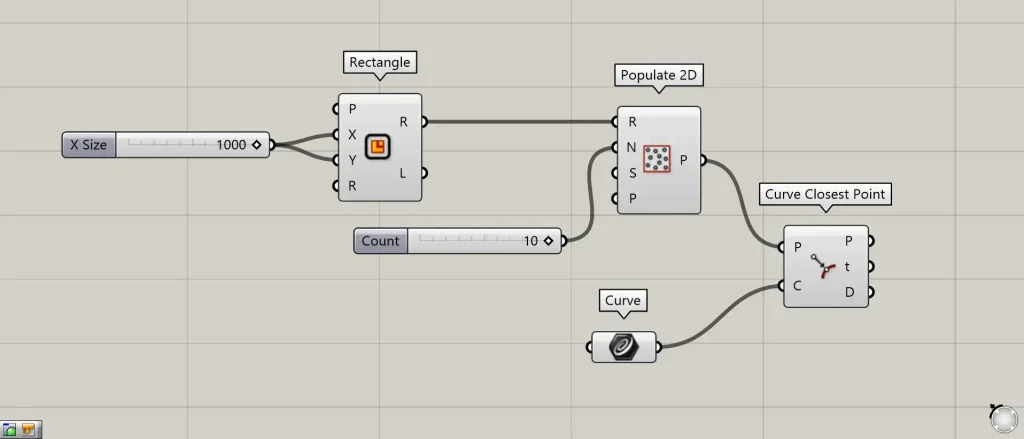
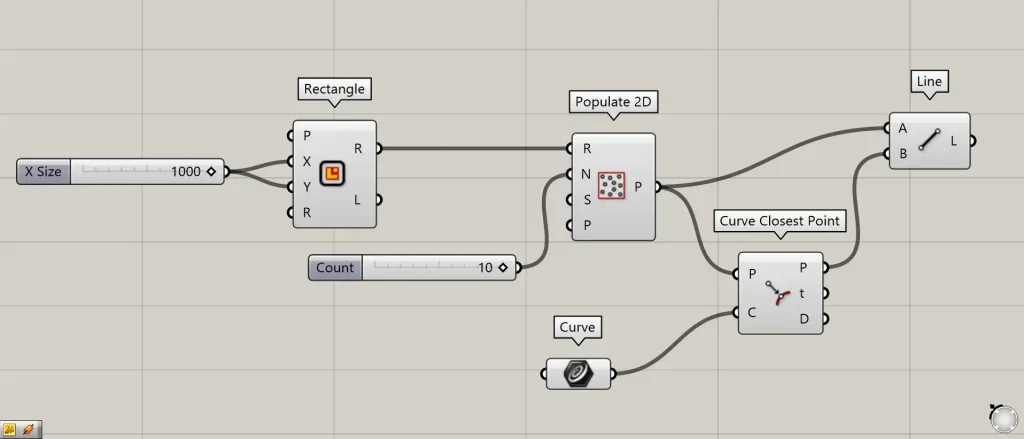
Components used: ① Rectangle ② Populate 2D ③ Curve ④ Curve Closest Point
This time, as an example, we will create points at the closest locations along the curve for randomly generated points.
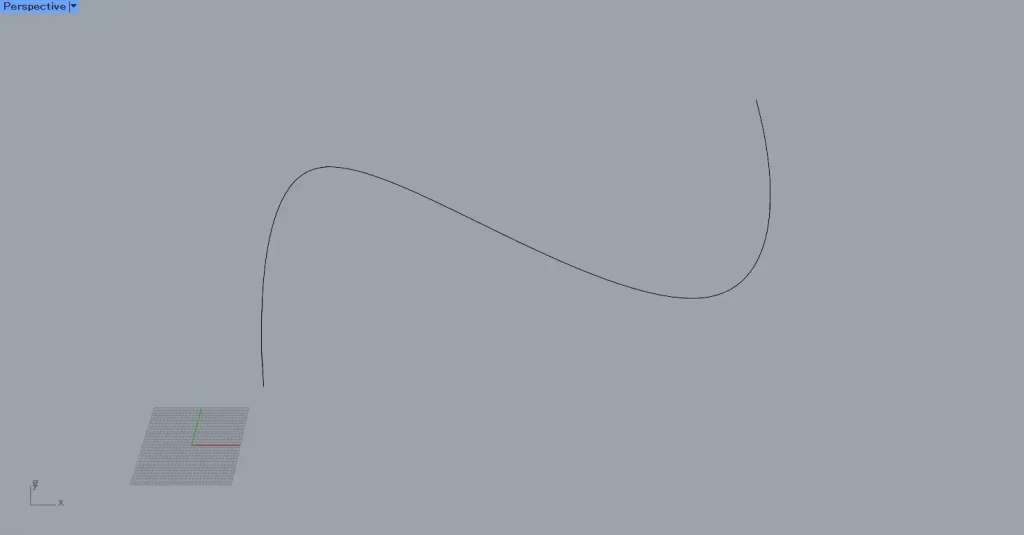
This time, we will use the curve on Rhino.
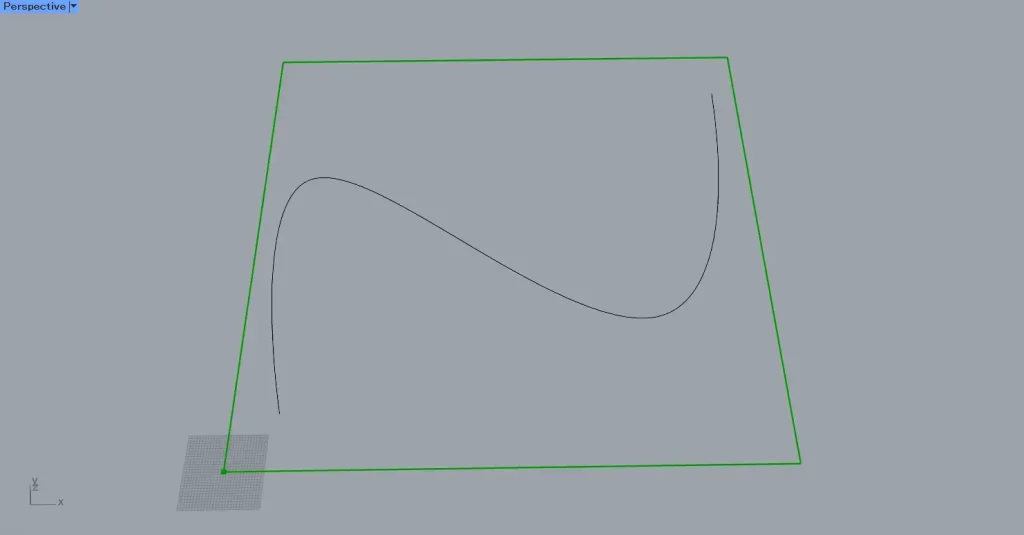
First, enter the numerical value for the length of one side into the Rectangle(X and Y).
This time, we entered the value 1000 in both fields.
Then, a 1000×1000 square line data set was created.
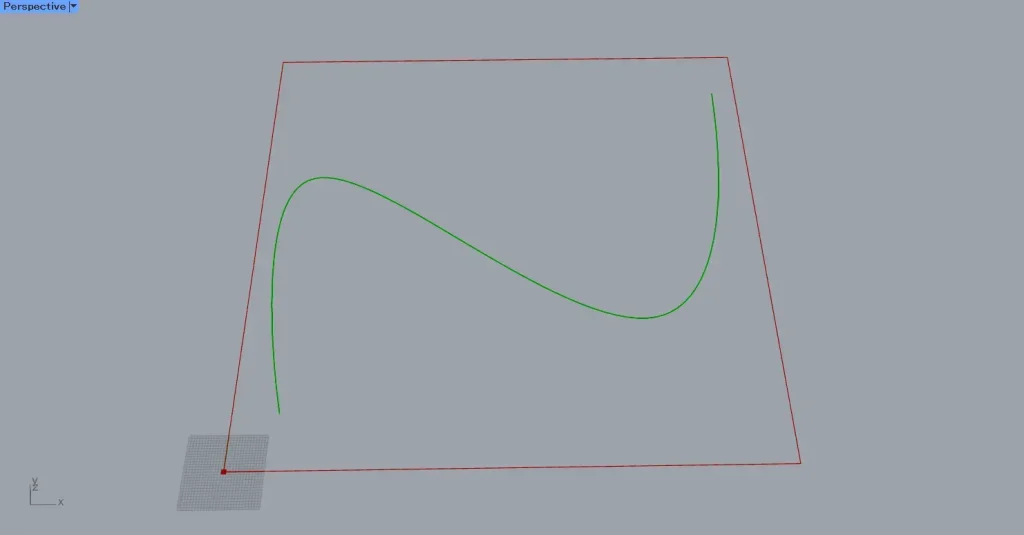
Then, set the curve on Rhino in Curve.
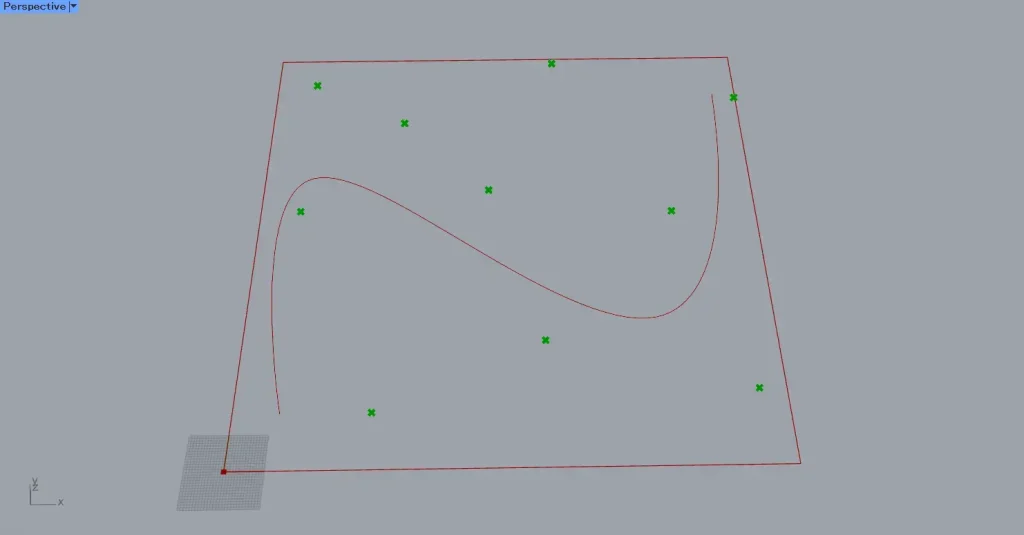
Then connect the Rectangle to Populate 2D(R).
Then, enter the number of points you want to create into the Populate 2D(N).
This time, we entered 10.
Then, ten random points were created inside the square line data.
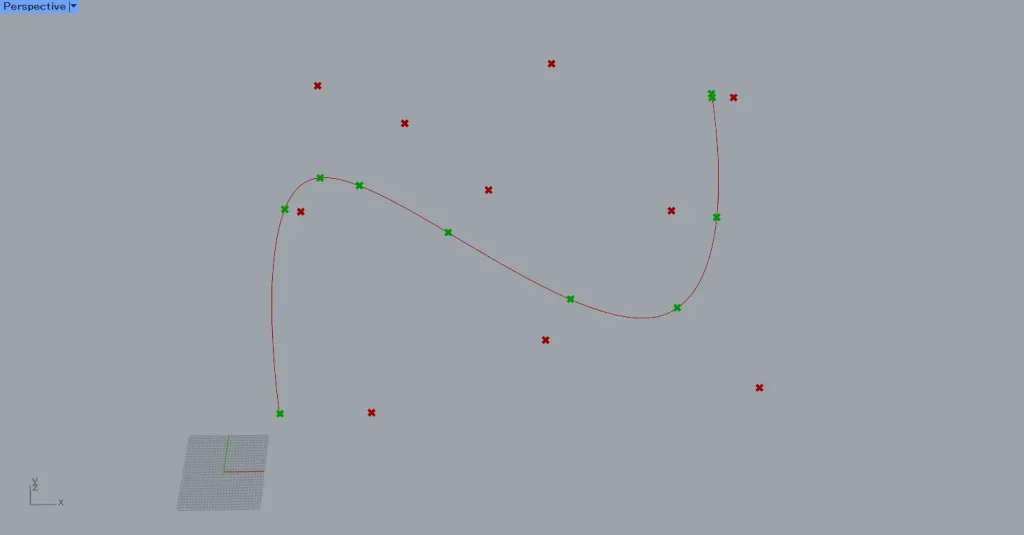
Next, connect the Populate 2D(P) to the Curve Closest Point(P).
Next, connect the Curve to the Curve Closest Point(C).
Then, as shown in the image above, points were created at the closest location along the curve from the points.
Additional Component: ①Line
Let’s visualize the movement of the points.
Connect the Populate 2D(P) and Curve Closest Point(P) to Line.
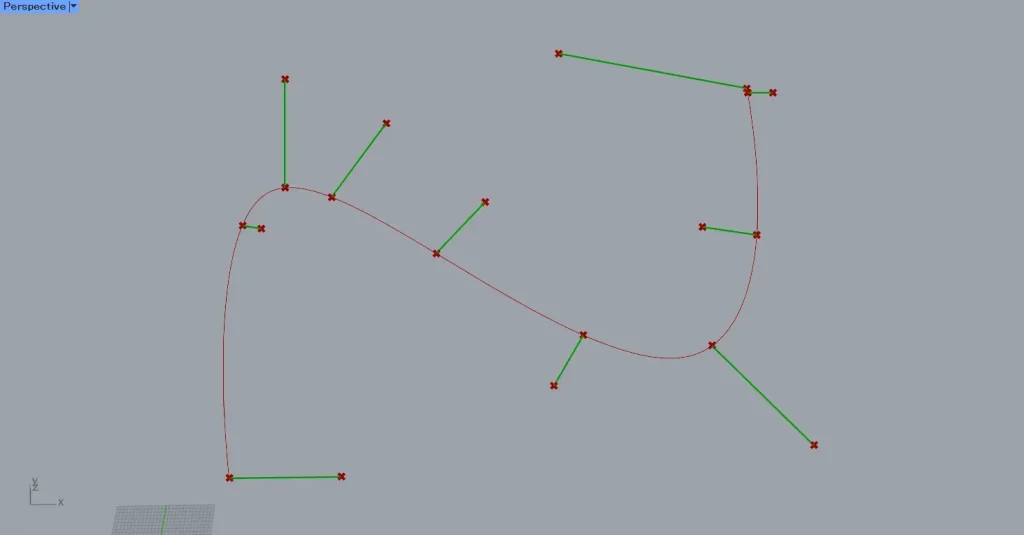
Then, lines connecting the points were created.
As shown in the image above, you can see that the points are moving.
Data output from Curve Closest Point
Let’s examine the data output from Curve Closest Point.
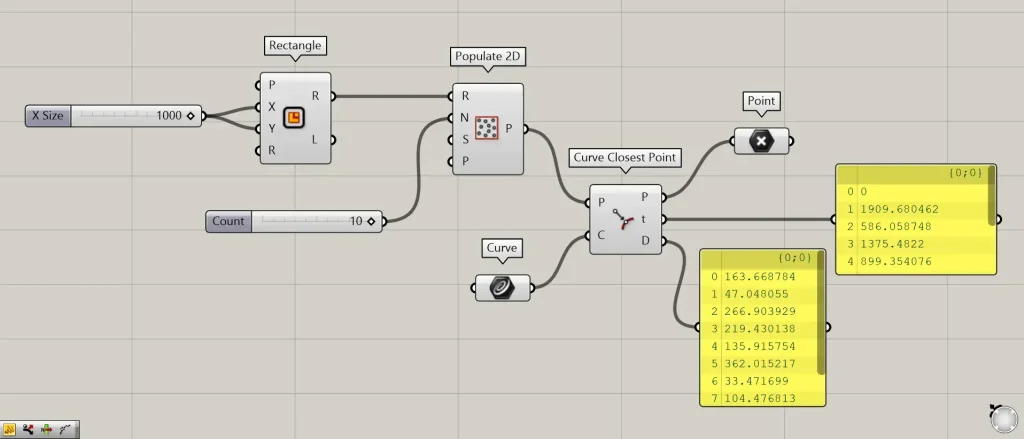
Additional Component: ①Point
Point data is output from the Curve Closest Point(P) on the right side.
The Curve Closest Point(D) outputs the numerical value of the distance between points before and after movement.
Additional components: ①Shatter ②List item
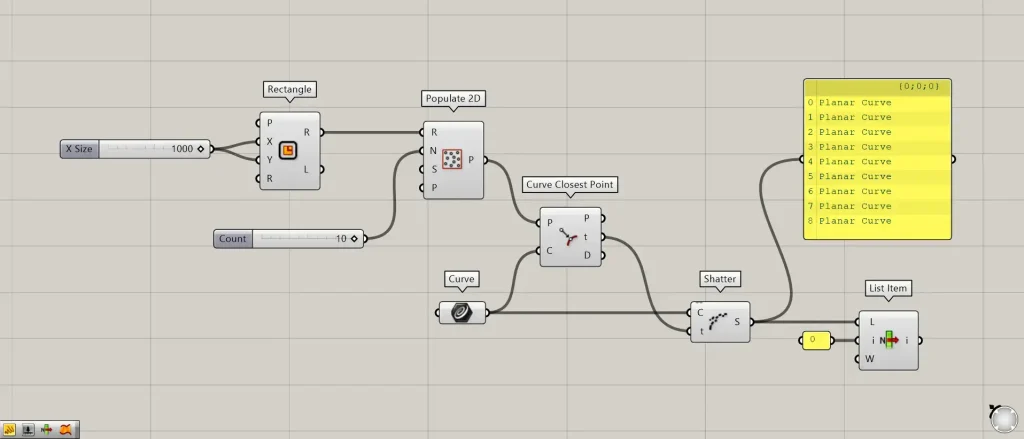
The Curve Closest Point(T) outputs information indicating the position of a point along the curve.
For example, let’s use that information to split the curve at the position where the point is located.
Connect Curve to the Shatter(C).
Connect the Curve Closest Point(T) to the Shatter(T).
Then, the curve was split at the point’s position.
This time, it is divided into nine curves.
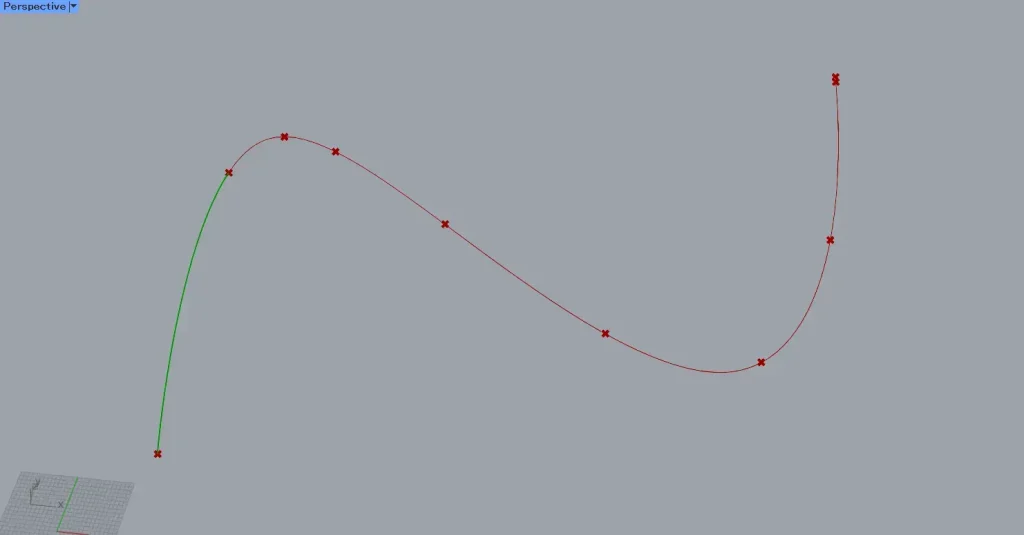
We’ll select just one curve.
Connect Shatter to the List Item(L).
Enter the value 0 into the List Item(i).
Then, we were only able to obtain the first curve that had been split.
In this way, the Curve Closest Point(t) outputs information indicating the position of the point on the curve.
List of Grasshopper articles using Curve Closest Point component↓






Comment