
![[Grasshopper] How to use Hexagonal to create hexagonal grid lines](https://iarchway.com/wp-content/uploads/2026/01/Hexagonal.png)
This article explains how to use Hexagonal to create hexagonal grid lines.
On the Grasshopper, it is represented by either of the two above.
Create hexagonal grid lines
Using Hexagonal allows you to create hexagonal grid lines.
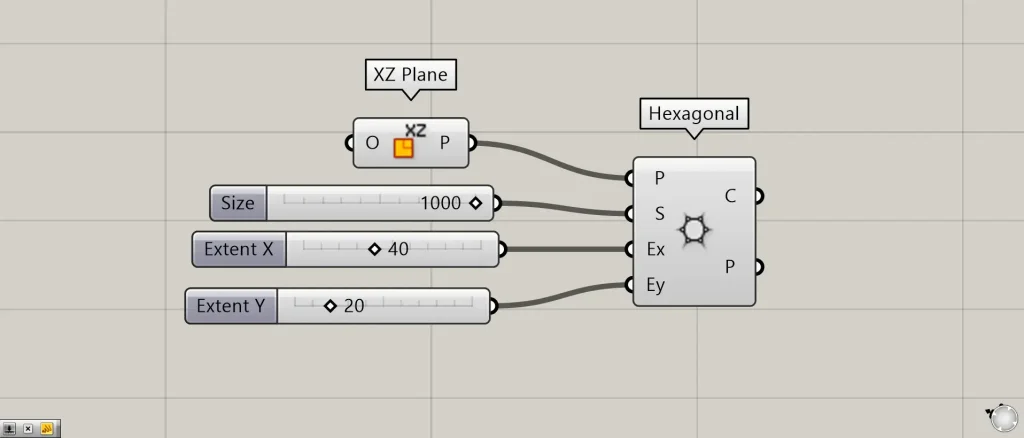
Components used: ① XZ Plane ② Hexagonal
Enter the plane and coordinate information into the Hexagonal(P).
This time, we are inputting the plane created from the X-axis and Z-axis in XZ Plane.
Enter the numerical value of the hexagon’s radius (the distance from the center point to the vertex) into the Hexagonal(S).
This time, we entered 1000.
Enter the number of hexagons in the X direction into the Hexagonal(Ex).
This time, we entered 40.
Enter the number of hexagons in the Y direction for the Hexagonal(Ey).
This time, we entered 20.
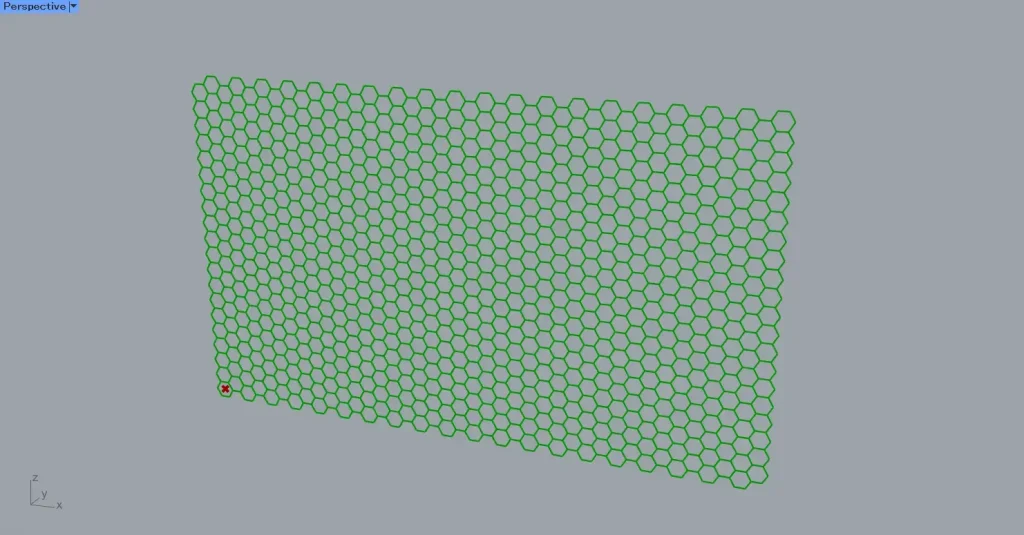
Then, as shown in the image above, a grid of 40×20 hexagons was created, each with a radius of 1000.
In this way, you can create hexagonal grid lines in Hexagonal.
Data output from Hexagonal
Let’s take a look at the data output from Hexagonal.
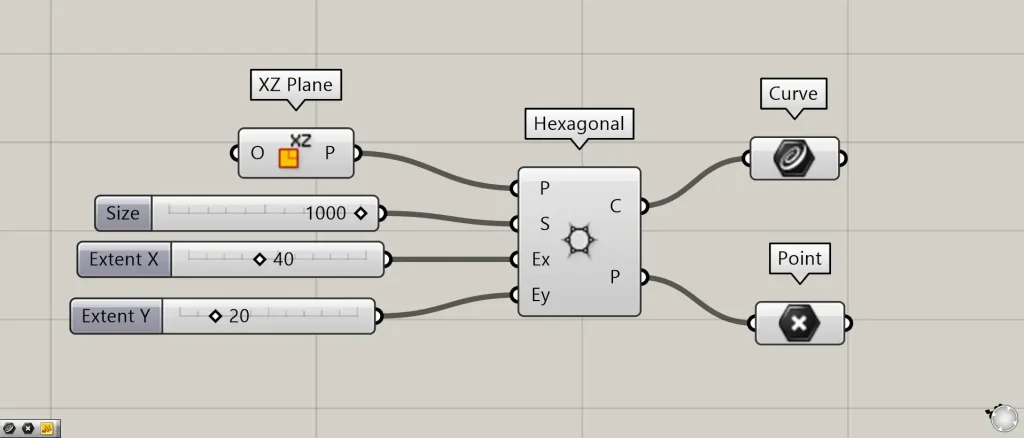
Additional Components: ①Curve ②Point
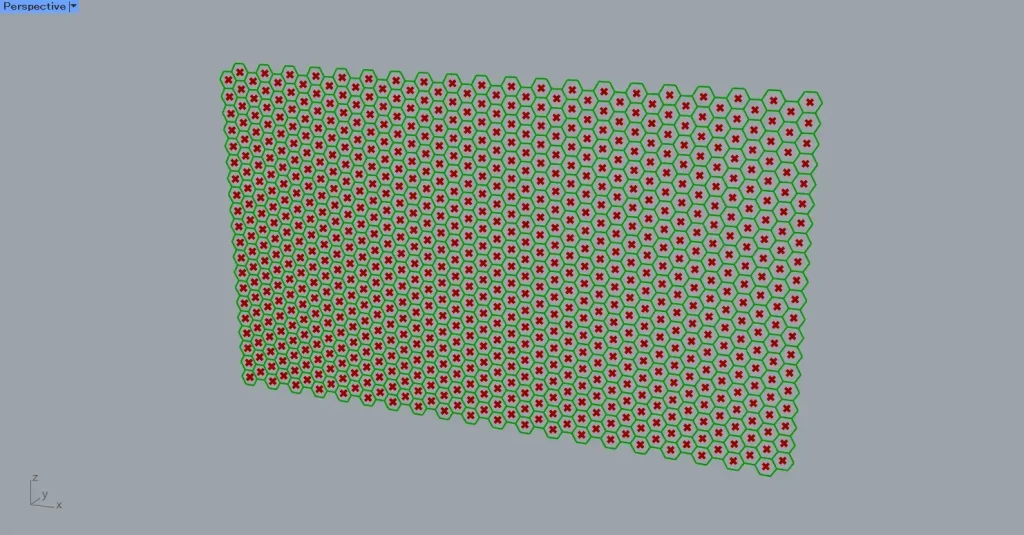
The Hexagonal(C) outputs hexagonal line data.
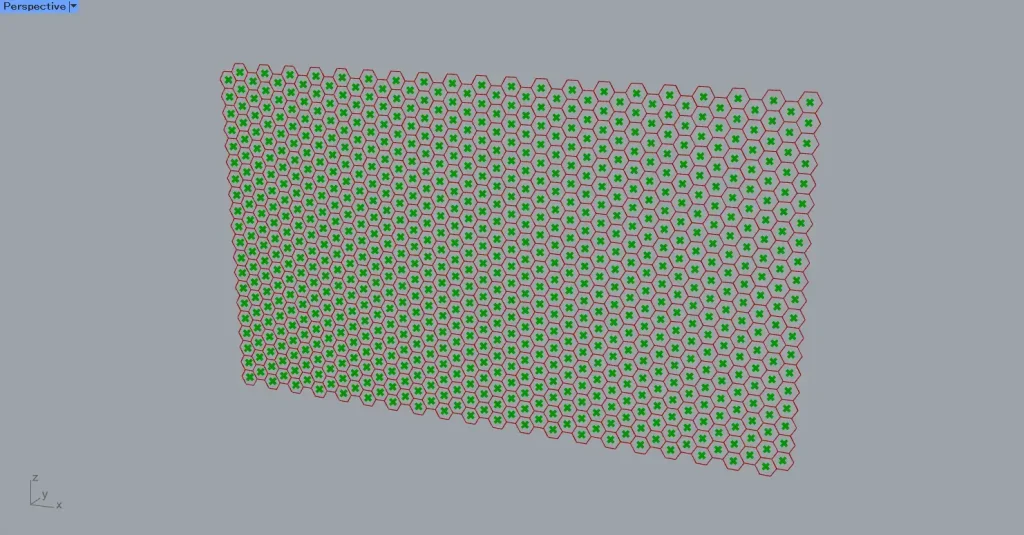
The Hexagonal(P) outputs point data for the center point of the hexagon.
List of Grasshopper articles using Hexagonal component↓





Comment