
![[Grasshopper] How to use Offset Curve Loose for roughly offsetting curves](https://iarchway.com/wp-content/uploads/2026/01/eyecatch-8.png)
This article explains how to use Offset Curve Loose for roughly offsetting curves.
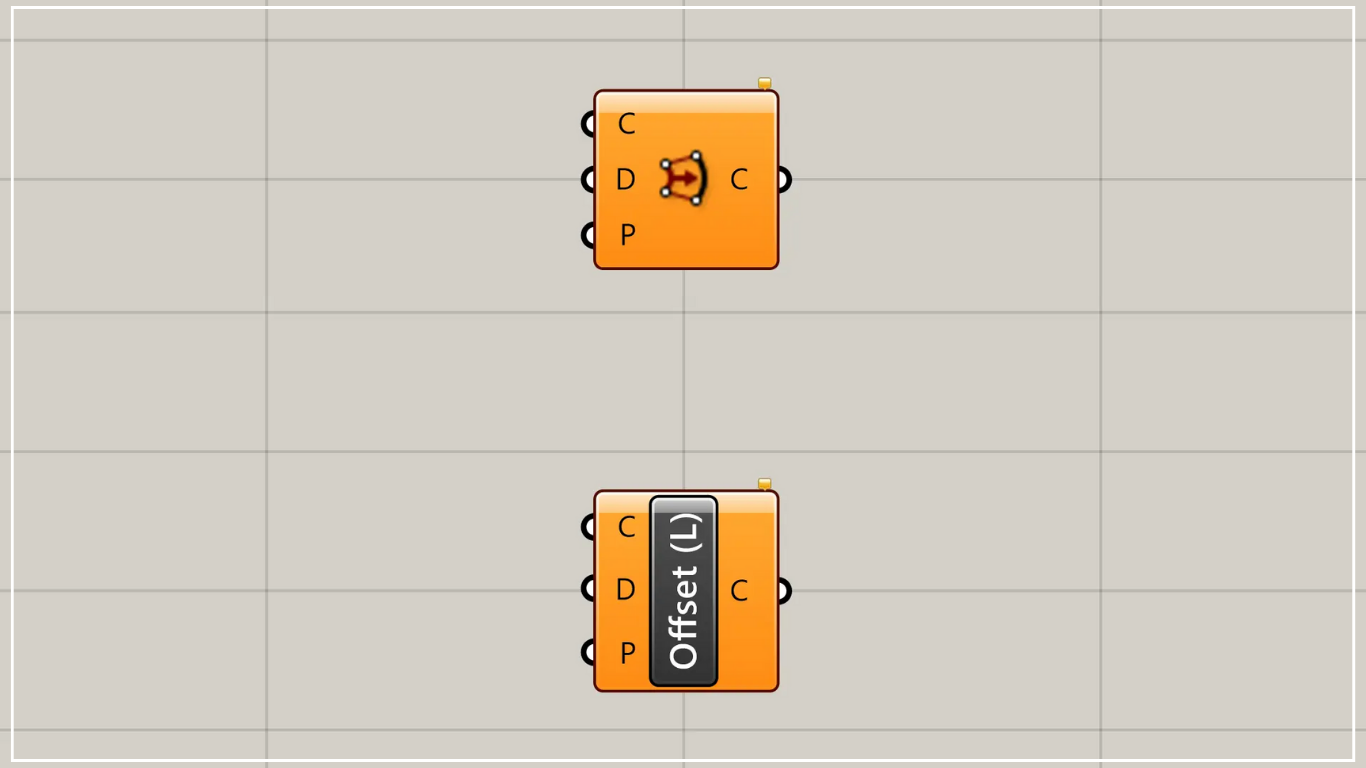
On the Grasshopper, it is represented by either of the two above.
Offset curves roughly
Using the Offset Curve Loose allows you to roughly offset curves.
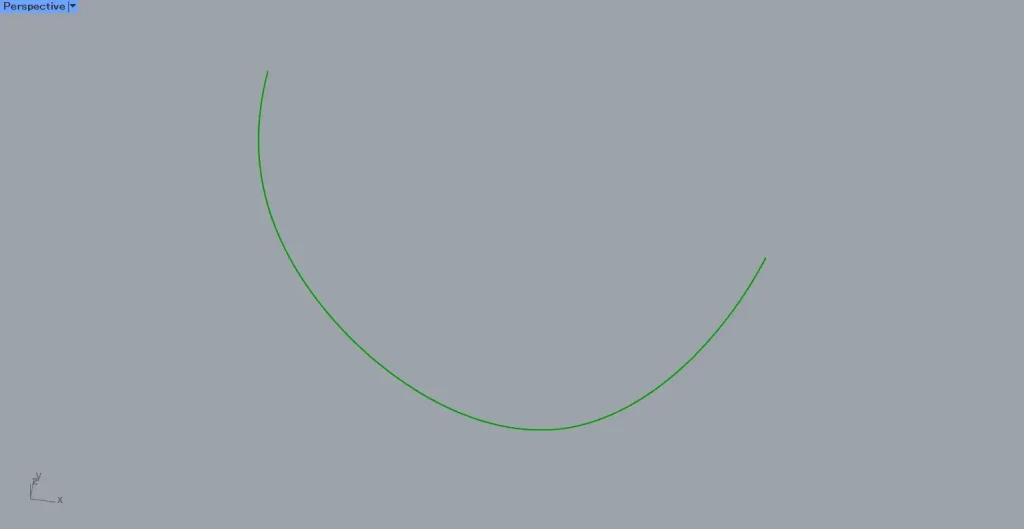
As the first example, we will use the curve in the image above.
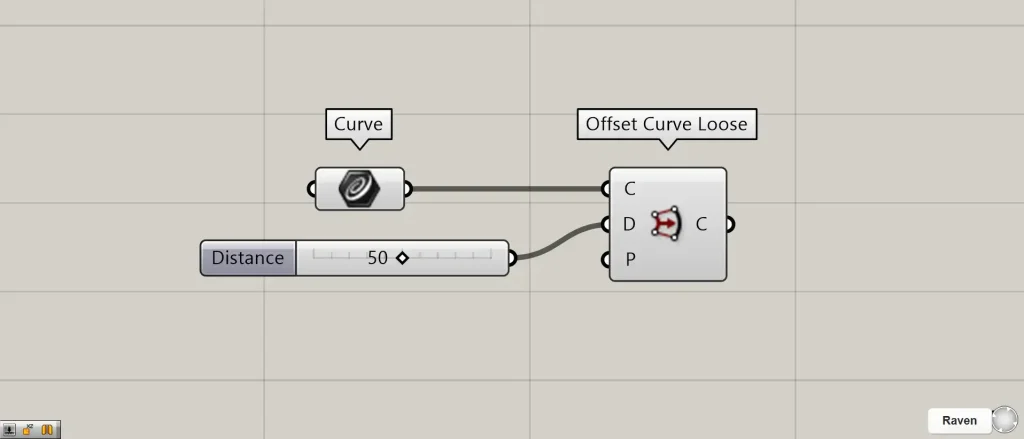
Components used: ① Curve ② Offset Curve Loose
Connect the Curve containing the curve to the Offset Curve Loose (C).
Connect the approximate offset distance value to the Offset Curve Loose(D).
This time, we are connecting the number 50.
Note that the distance value entered in Offset Curve Loose(D) is an approximate value; it does not result in an offset at the exact distance.
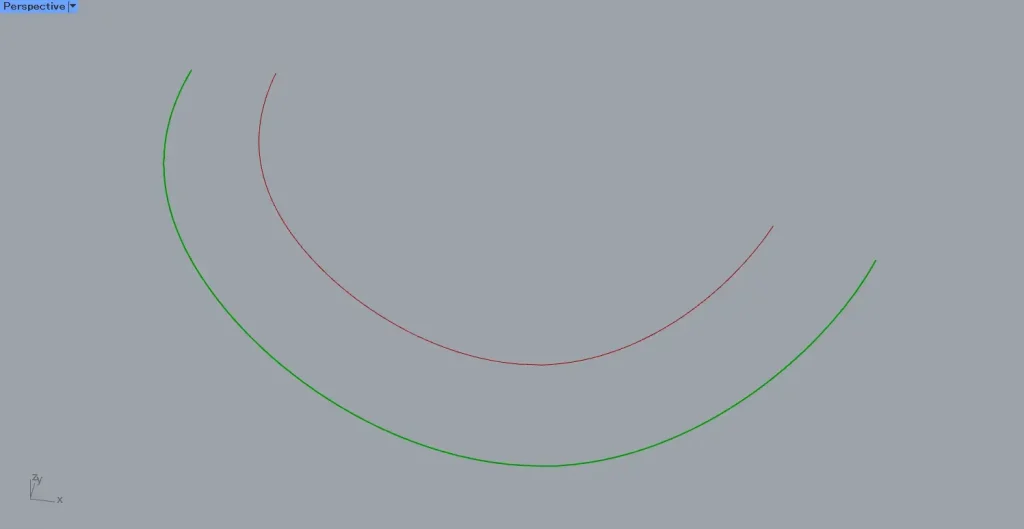
Then, as shown in the image above, the curve was offset.
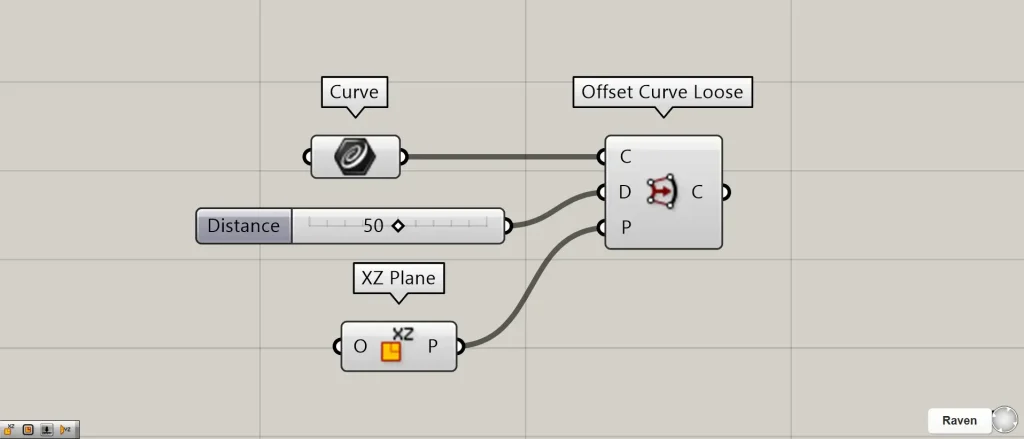
Additional Components: ① XZ Plane
In Offset Curve Loose(P), you can specify the plane for the offset operation.
This time, we are connecting the XZ Plane, which creates a plane formed by the X-axis and Z-axis.
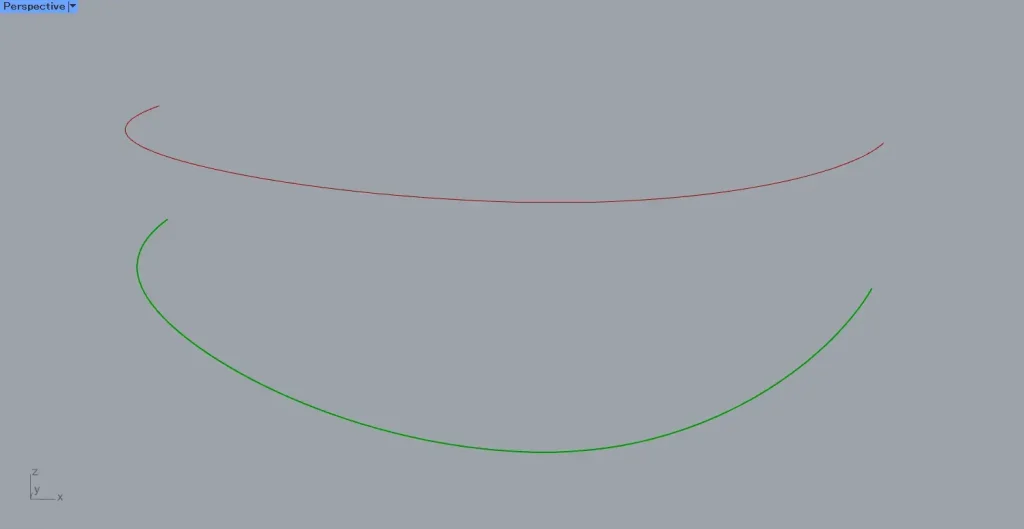
Then, as shown in the image above, we were able to change the plane for the offset operation.
The Difference Between Offset Curve and Offset Curve Loose
Let’s look at the difference between Offset Curve and Offset Curve Loose.
The difference between Offset Curve and Offset Curve Loose lies in whether the control points of the original line are modified or preserved.
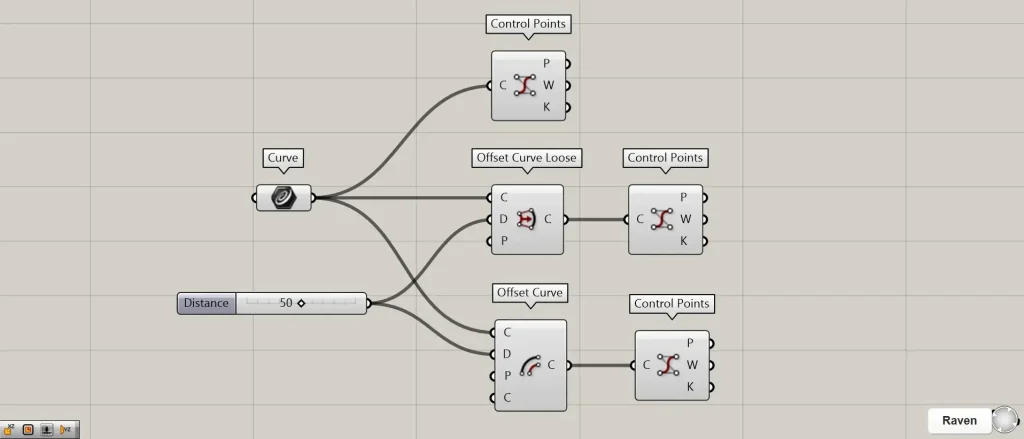
Additional Components: ①Offset Curve ②Control Points
Add an Offset Curve and display the control points for each curve using Control Points.
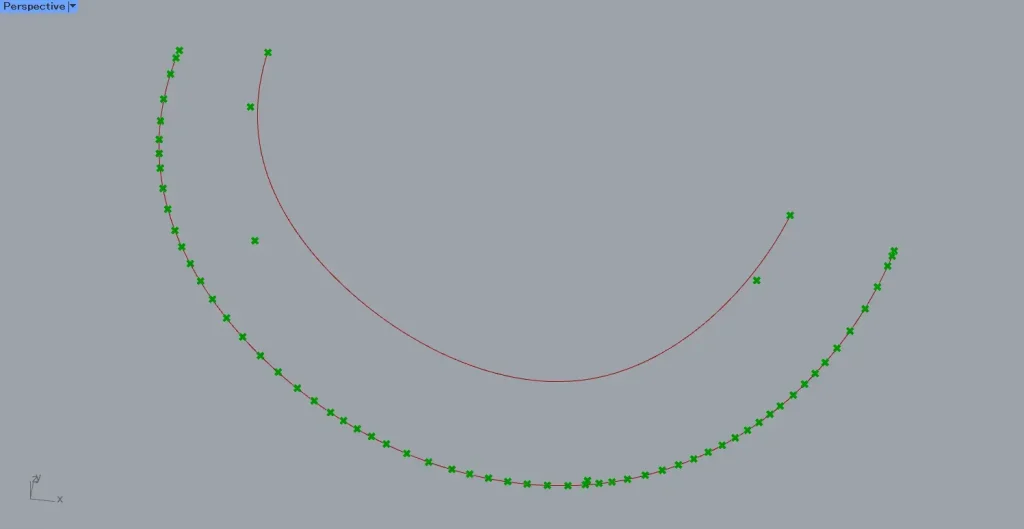
The image above shows the case for the Offset Curve.
For the Offset Curve, the control points after the offset are modified.
Therefore, it is precisely offset.
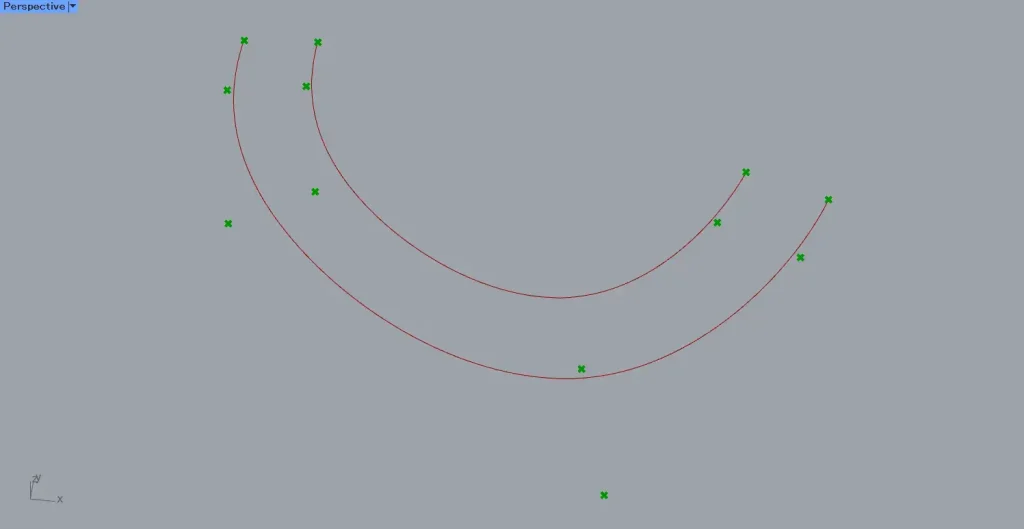
The image above shows the case for Offset Curve Loose.
In the case of Offset Curve Loose, control points are not modified and remain at their original number.
Therefore, compared to the Offset Curve, the offset becomes more coarse.
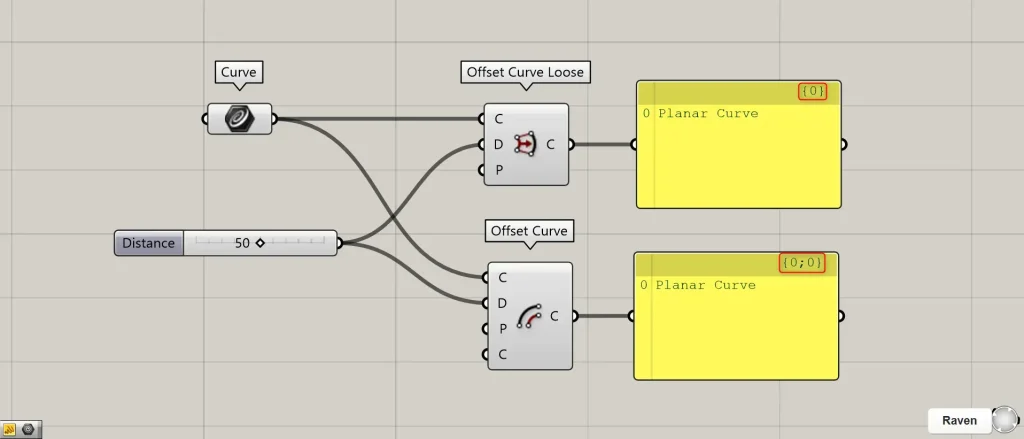
There are also differences in the branch after creation.
In the case of Offset Curve Loose, there is no change in the branch.
On the other hand, with the Offset Curve, the branch depth increases by one level.
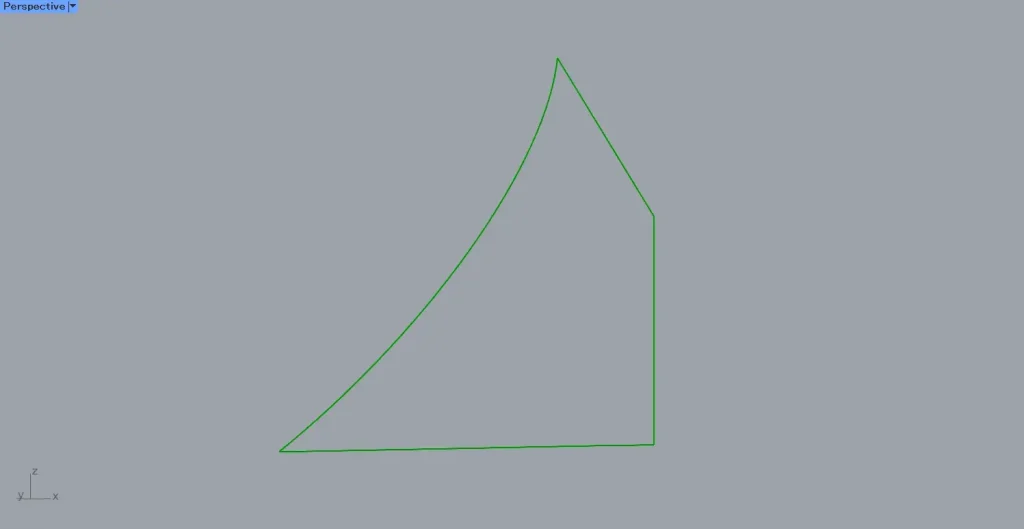
Additionally, Offset Curve Loose may be able to handle offsets that Offset Curve cannot.
For example, let’s offset the combined lines in the image above.
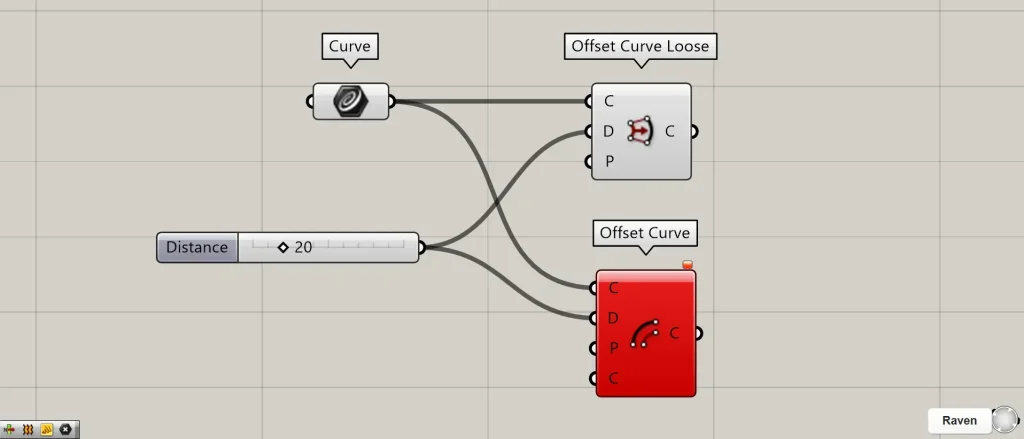
Looking at the image above, an error occurs with Offset Curve, but no error occurs with Offset Curve Loose.
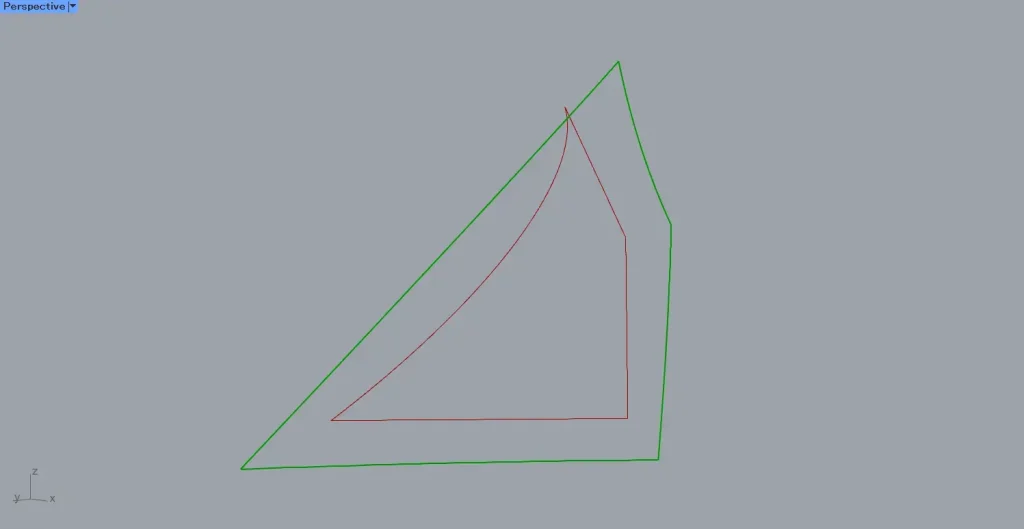
Even when the original shape cannot be offset as shown in the image above, Offset Curve Loose may still be possible.
Instead, it will be a rough offset, as shown in the image above.
List of Grasshopper articles using Offset Curve Loose component↓





Comment