
![[Grasshopper] How to use Solid Intersection to obtain intersection between models](https://iarchway.com/wp-content/uploads/2026/01/eyecatch-27.png)
This article explains how to use Solid Intersection to obtain intersection between models.
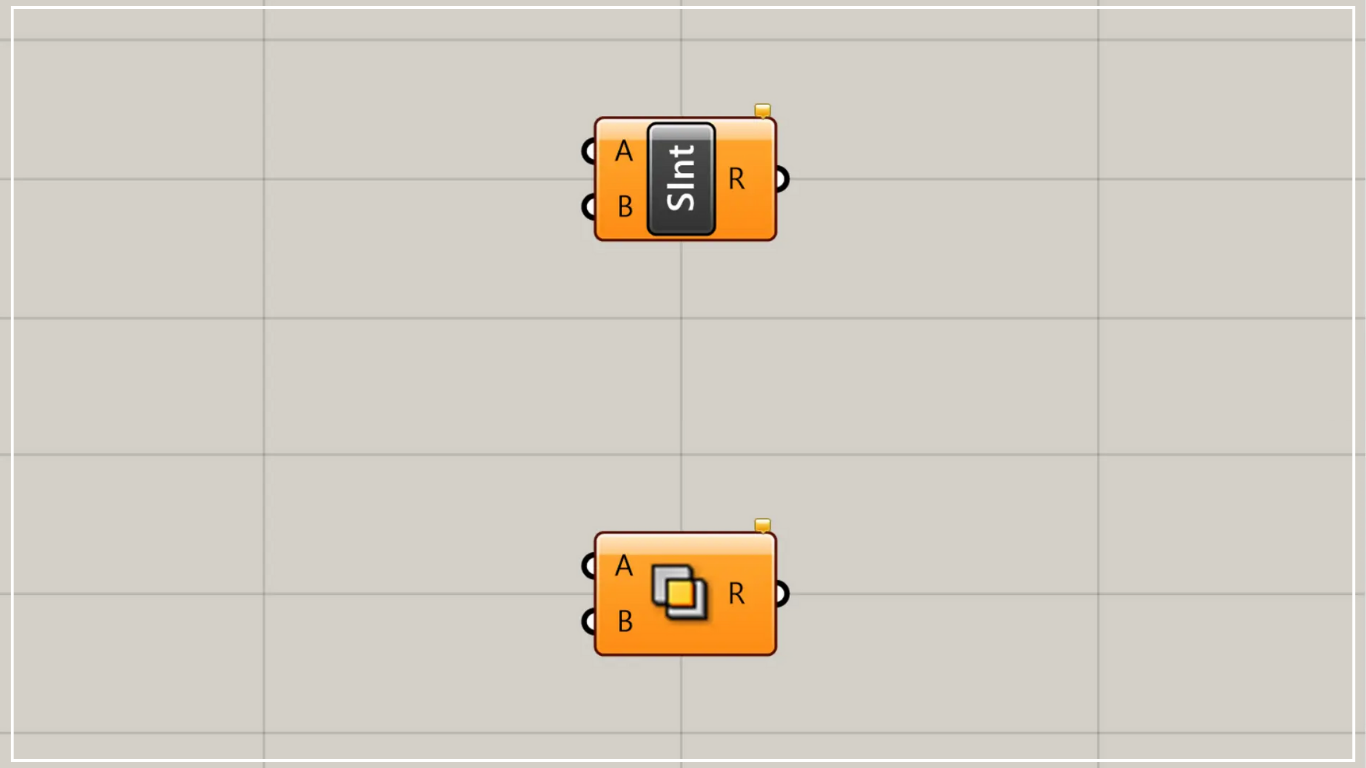
On the Grasshopper, it is represented by either of the two above.
Obtain intersection between models
Using Solid Intersection allows you to obtain intersection areas between models.
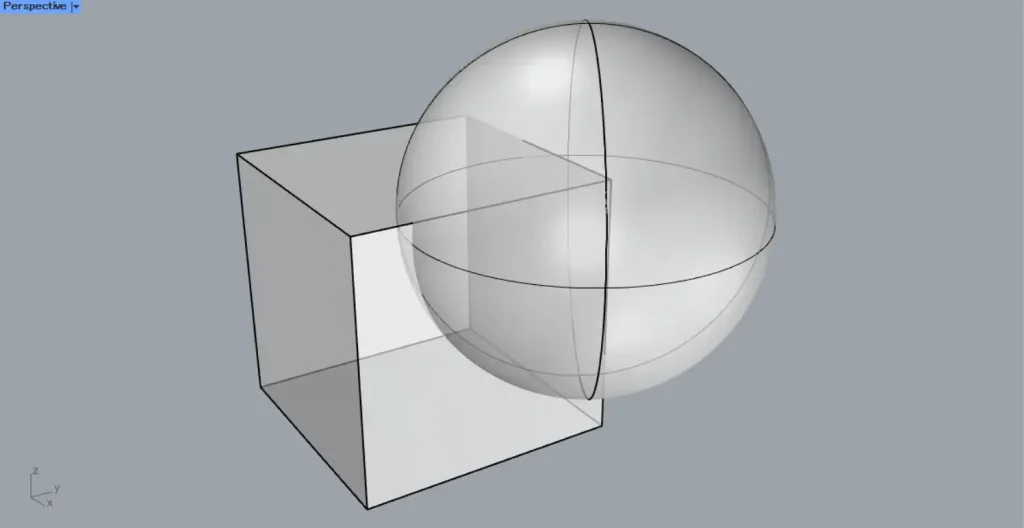
This time, we will use the cube and sphere on Rhino in the image above.
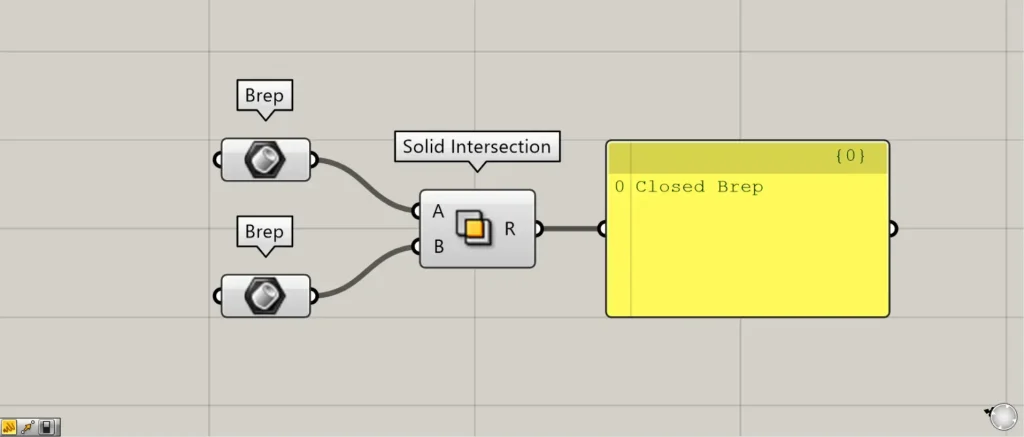
Components used: ①Brep ②Solid Intersection
This time, the cube and sphere on Rhino are each set in Brep.
Connect the models whose intersection you want to obtain to the Solid Intersection(A and B) respectively.
This time, we’ve connected Brep to both.
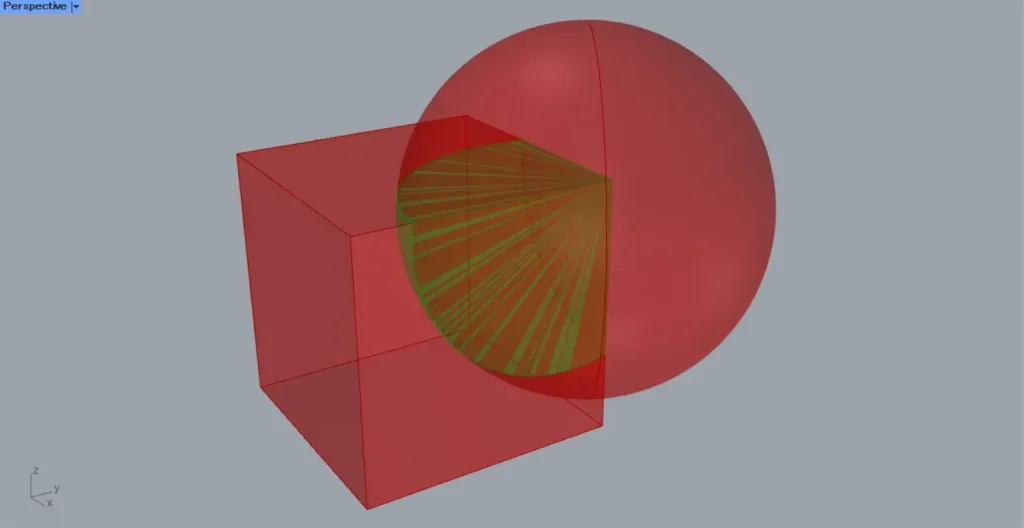
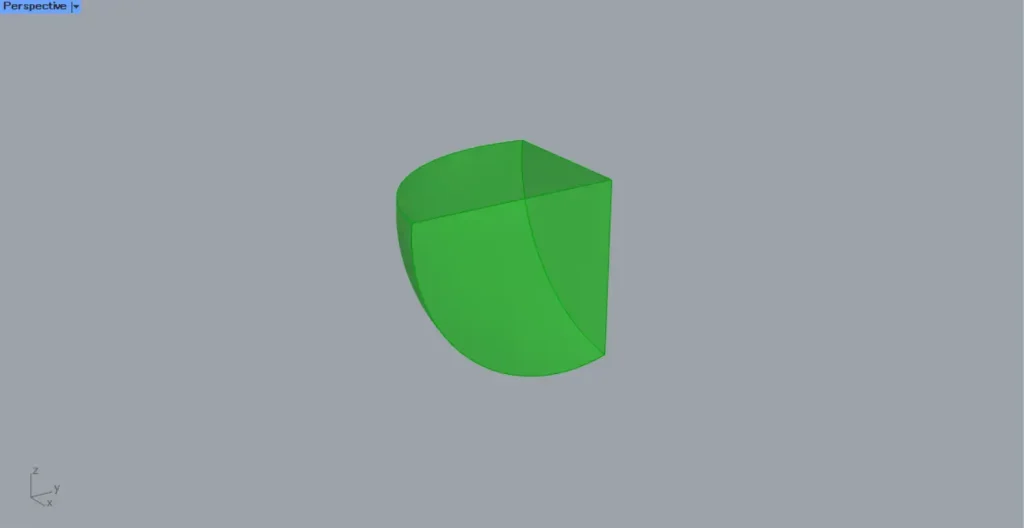
Then, as shown in the two images above, we were able to obtain the intersection points of the model.
When using multiple models, devise branch structure
When using multiple models, we recommend carefully designing the branch structure.
Depending on the branch you set, processing time may increase or errors may occur.
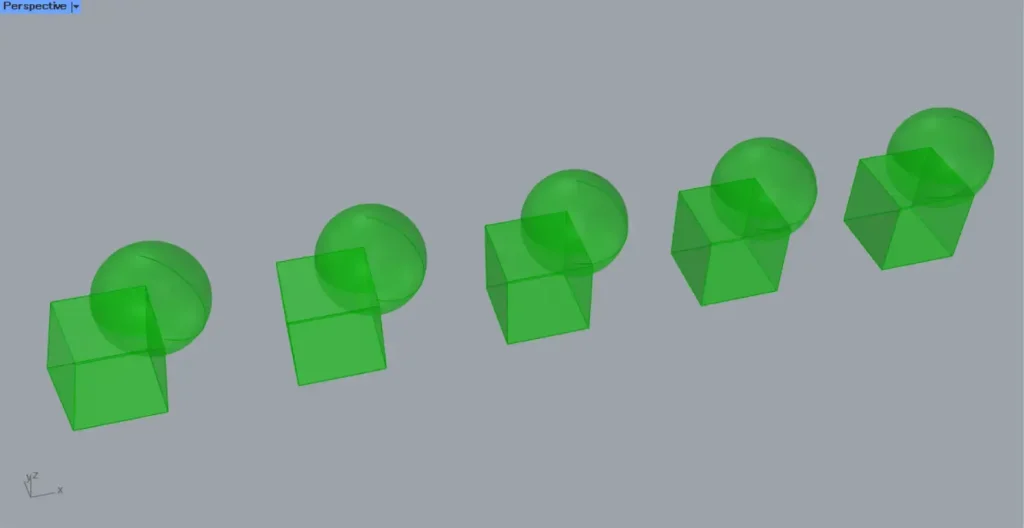
For example, consider a case where five spheres intersect with five cubes, as shown in the image above.
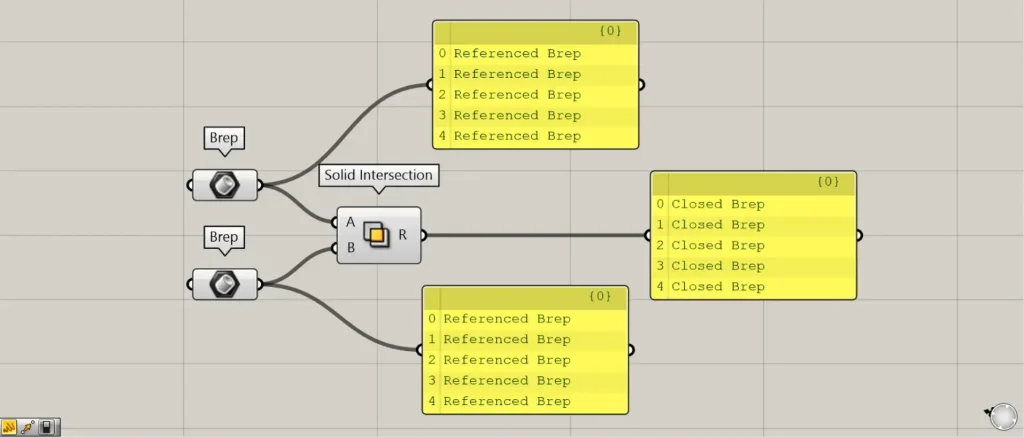
The image above shows what happens when the model is connected as-is.
In this case, the execution will proceed, but unnecessary computational processing will occur.
The reason is that for each cube, five spheres are processed.
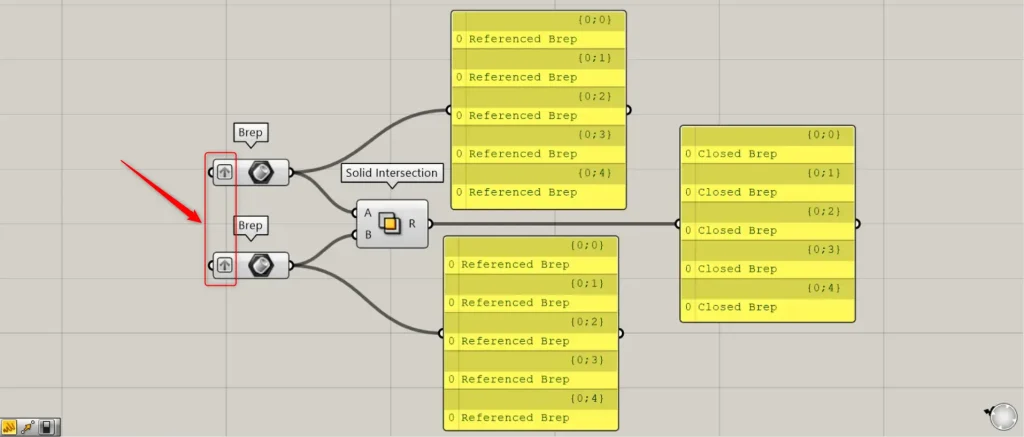
The image above shows models that serve as good examples grouped together in the same branch using Graft.
This means that models that do not intersect are not processed, and only models within the same branch that intersect are merged.
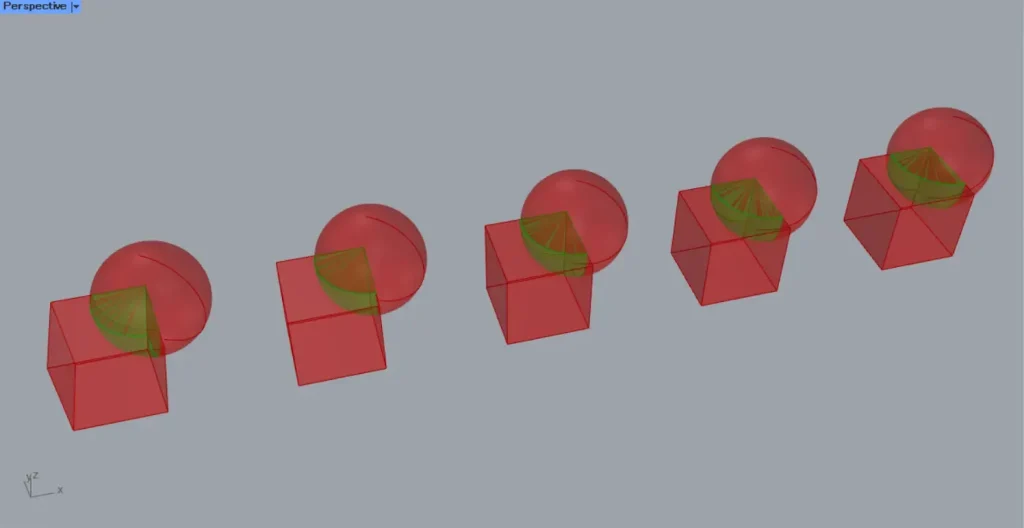
Ultimately, we were able to obtain the intersecting portions as shown in the image above.
When working with multiple models, we recommend grouping them within the same branch and executing Solid Intersection.
List of Grasshopper articles using Solid Intersection component↓





Comment