
![[Grasshopper] How to use Square to create square grid lines](https://iarchway.com/wp-content/uploads/2026/01/eyecatch-14.png)
This article explains how to use Square to create square grid lines.
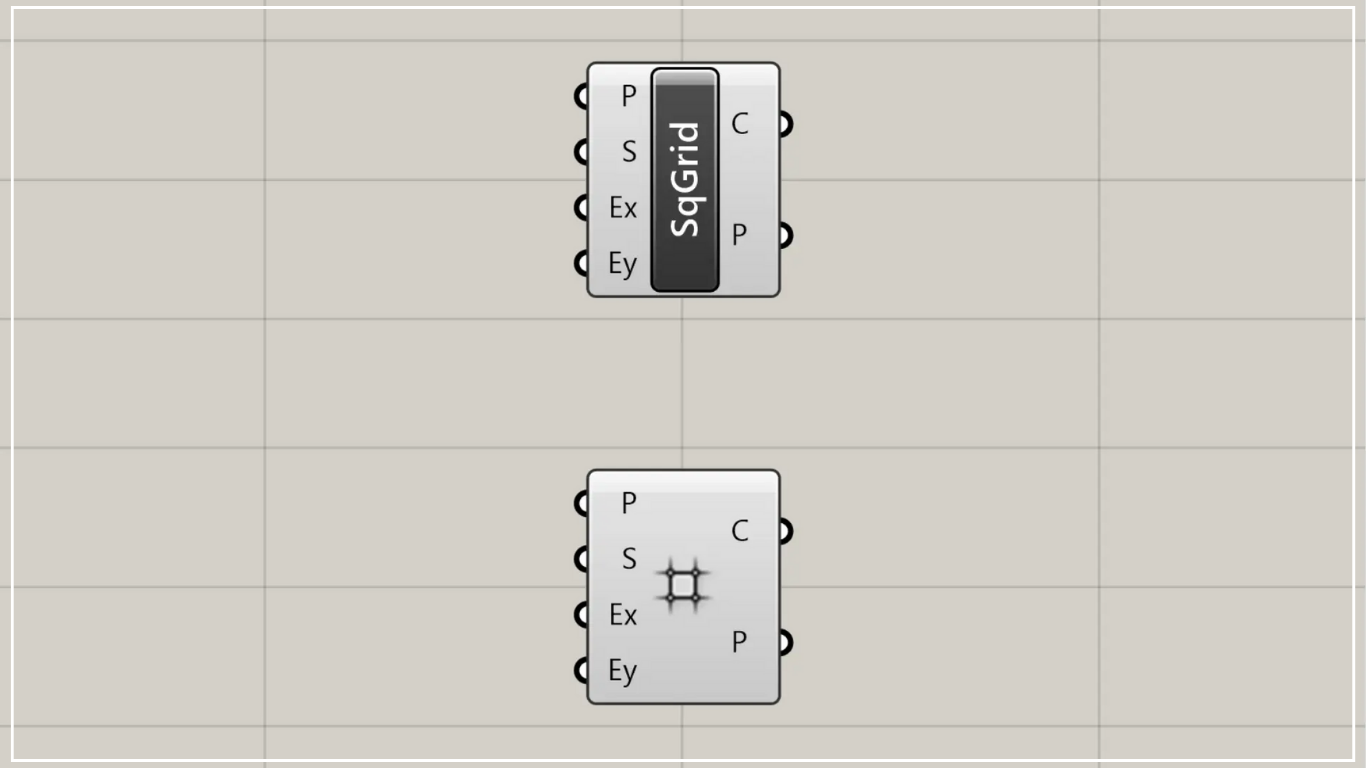
On the Grasshopper, it is represented by either of the two above.
Create square grid lines
Using Square allows you to create square grid lines.
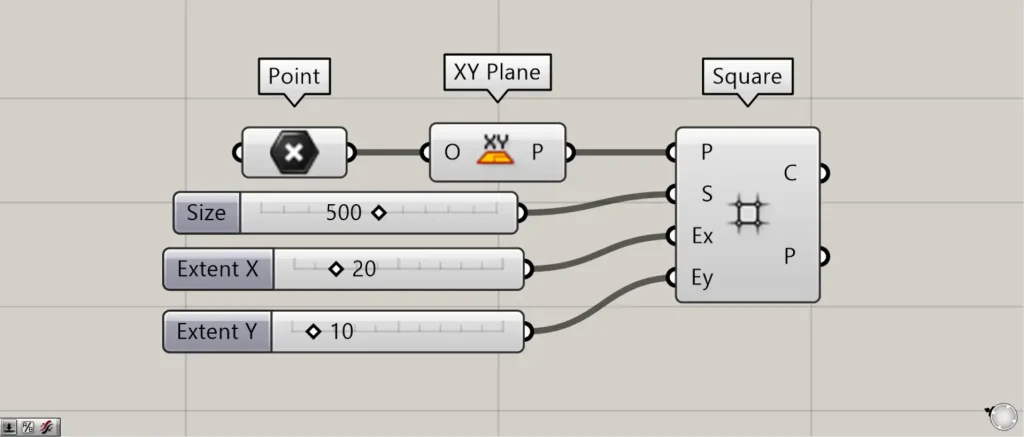
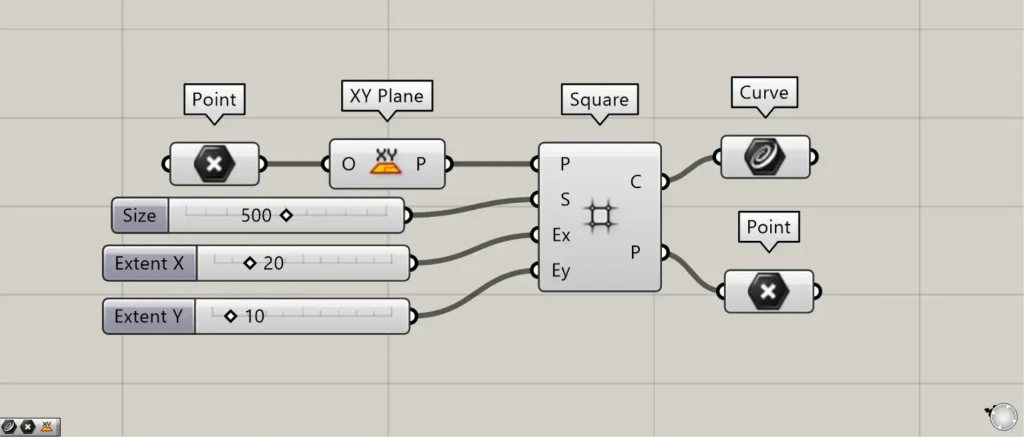
Components used: ①Point ②XY Plane ③Square

Square(P) connects the grid reference point and the plane information.
This time, we created a plane using the X and Y directions from the XY Plane at the position of the point created in Point, and connected them.
For Square(S), connect the numerical values representing the size of each grid.
This time, since we’re connecting 500 units, each grid will be 500×500 in size.
For Square(Ex) and Square(Ey), enter the number of instances to create in the X and Y directions.
This time, we’ve connected 20 to Square(Ex) and 10 to Square(Ey).
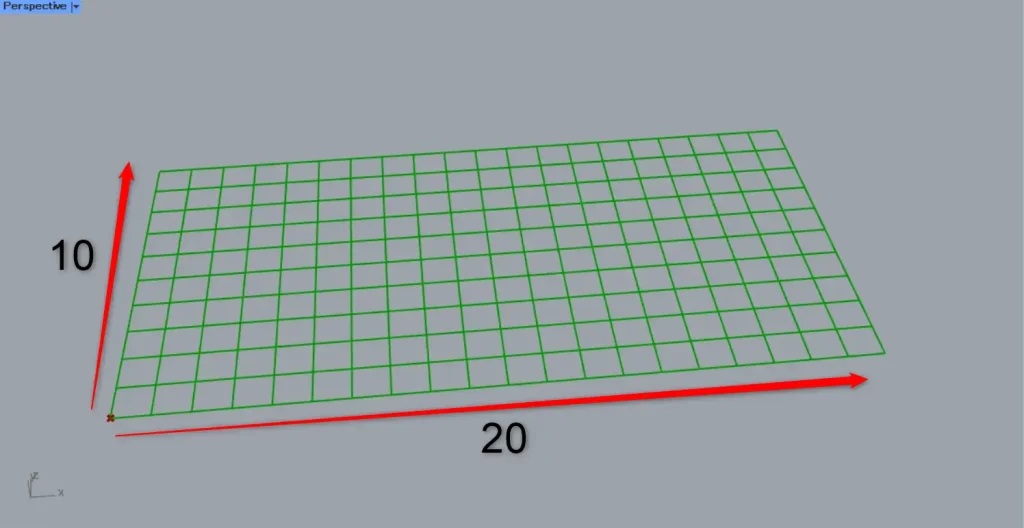
Then, as shown in the image above, a 20×10 square grid was created.
Output data
Let’s take a look at the output data.
Additional Components: ①Curve
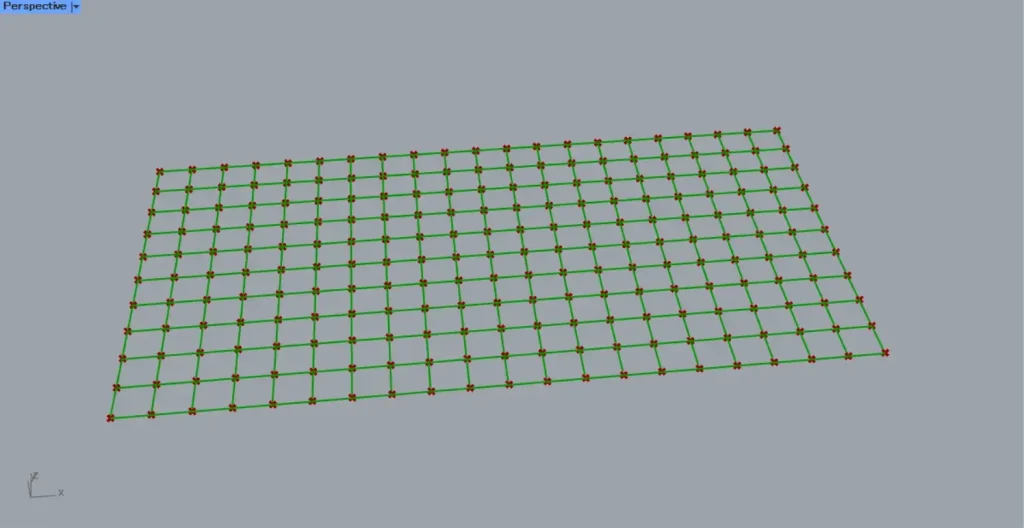
Square(C) outputs the line data for each square.
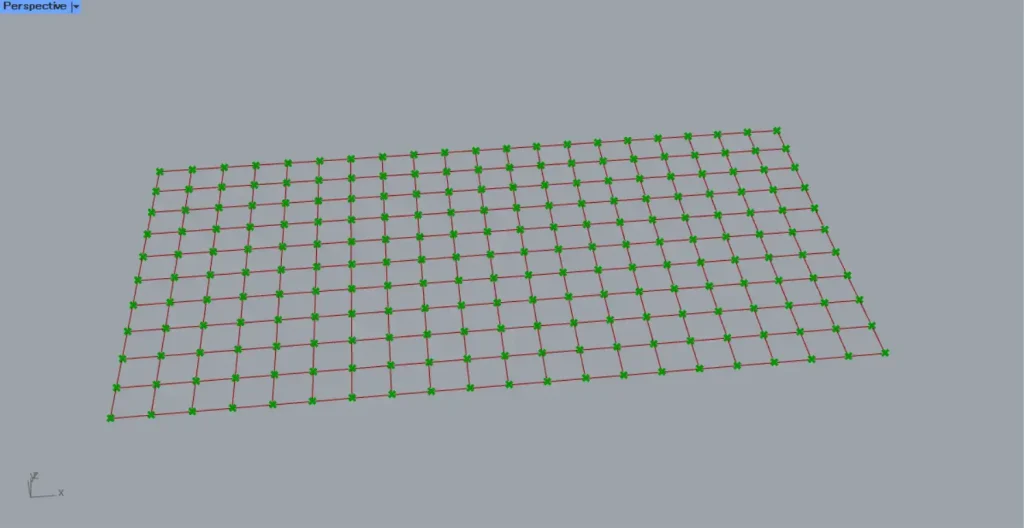
Square(P) outputs point data for the base points of each grid.
List of Grasshopper articles using Square component↓





Comment